3D Scanner
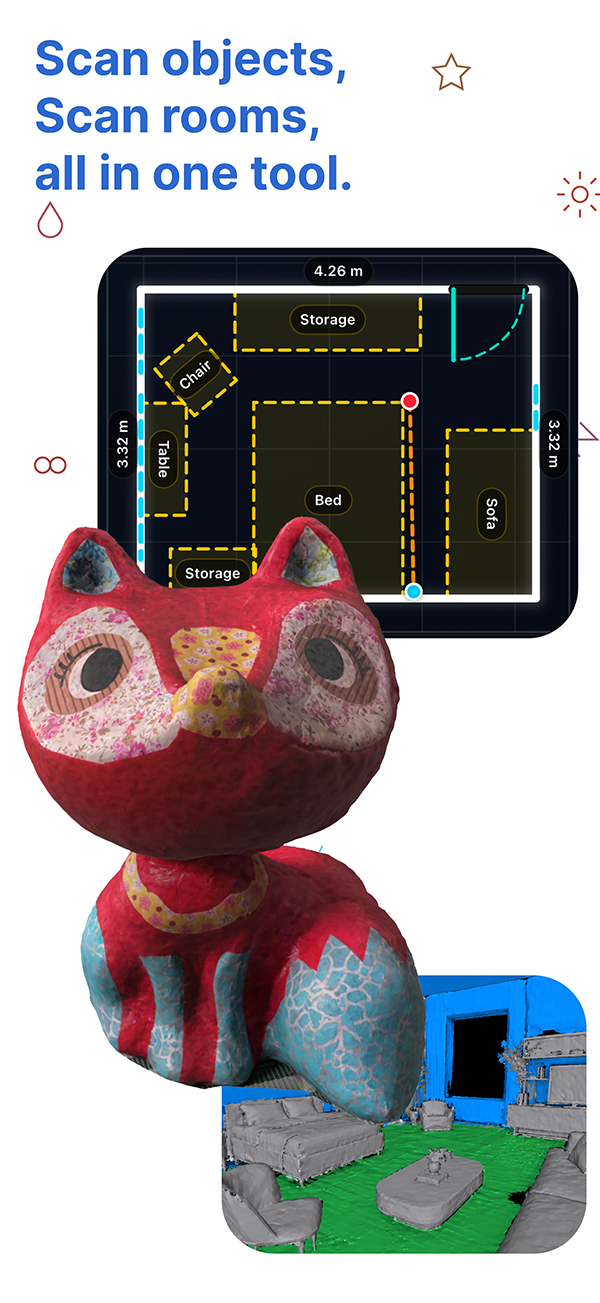
Capture objects and rooms into shareable 3D assets.
LiDAR object capture, local photogrammetry, and RoomPlan exports for compatible iPhone Pro and iPad Pro.
Get high definition 3D models by following AR instructions. The result is generated locally on your device,
then ready to share as .usdz, .obj, or .stl in just a few taps.
AR-guided capture
Local photogrammetry
RoomPlan blueprinting
iPhone Pro + iPad Pro
.usdz for mobile AR, .obj for pro workflows, or .stl for 3D printing.
All in one
Scan, Measure, 3D Print, & Share 3D model.
Scan your art works, favorite hand-crafted items, toys, anime figures, and more. Then switch to room capture and generate a readable floor plan without leaving the same app.
.usdz, .obj, .stl, room plans, links, or upload to Sketchfab fast.
Vertical video demo
Object scan
A tighter left-right walkthrough of the object capture workflow
Each stage is shown as a direct product moment: one screenshot on one side, the explanation on the other side, with the layout alternating so the page reads more like a guided walkthrough than a stack of oversized cards.
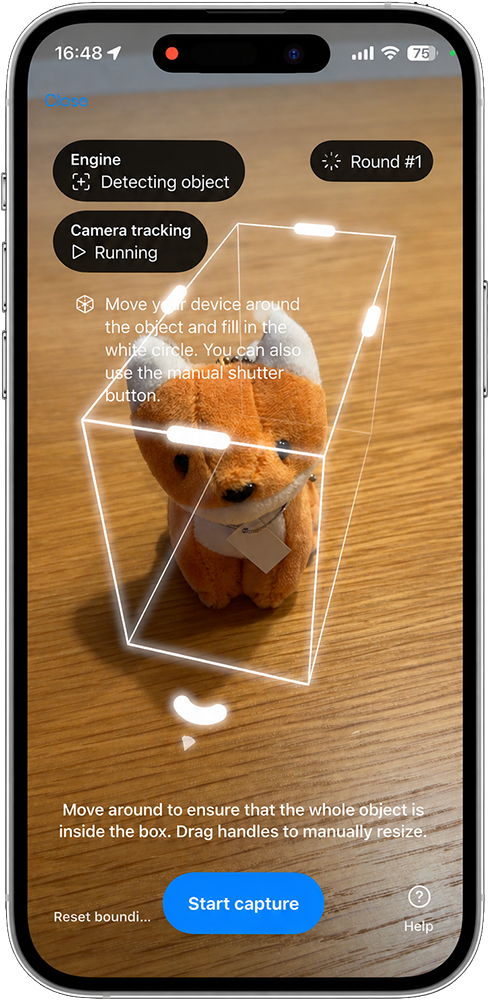
Point to the object and confirm the capture zone
The first moment is simple: aim at the object, tap continue, and let the app establish the working area. The automatic bounding box keeps the flow moving, while manual adjustment is still there when the scene needs cleanup.
- Automatic detection gives the scan a fast starting point.
- Manual tuning helps when background clutter needs correction.
- The flow stays grounded in the object instead of a setup utility screen.
Follow the AR guide until the point cloud fills in
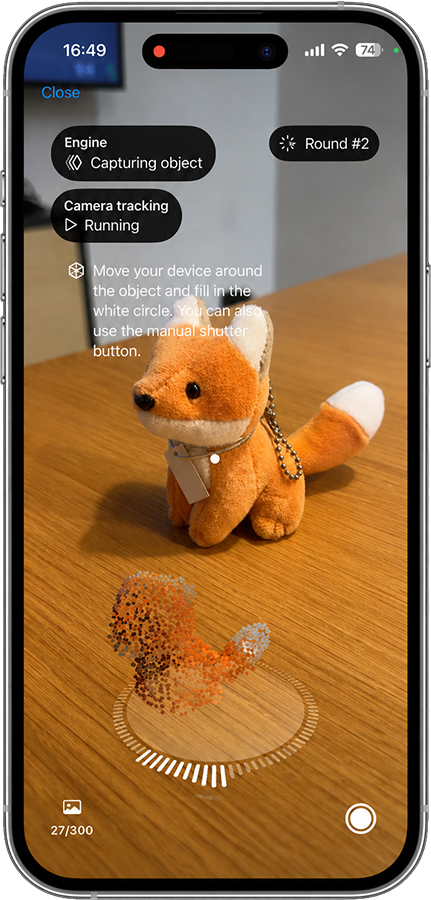
During the scan, the app visualizes the growing point cloud while you fill the target circle on screen. That makes the motion readable and keeps the capture from feeling like random orbiting.
- The point cloud shows progress instead of leaving the user guessing.
- Lower and upper angle passes improve detail around complex surfaces.
- AR guidance turns photogrammetry into a repeatable routine.
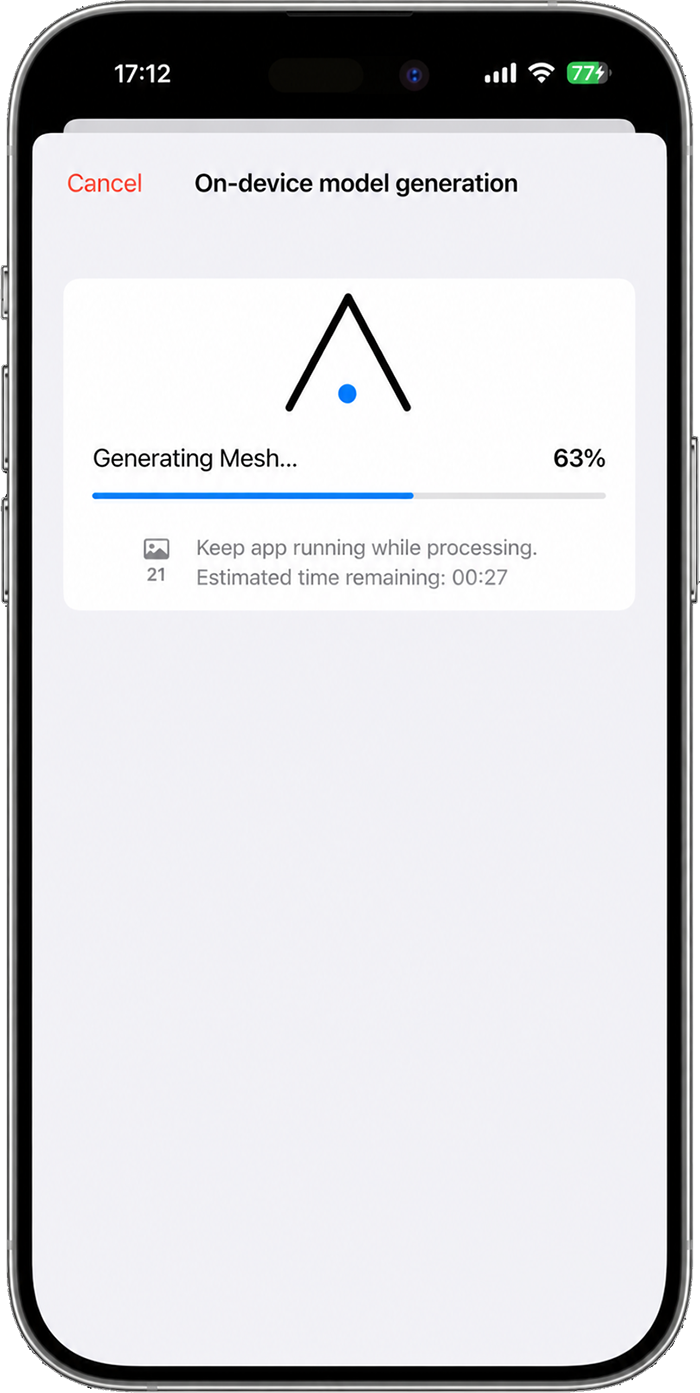
Finish the model directly on the device
Once enough coverage is captured, the app generates the object model locally on supported hardware. That keeps the workflow privacy-friendly and makes the product feel self-contained instead of dependent on a remote pipeline.
- Processing stays local on your compatible iPhone Pro or iPad Pro.
- The model generation screen reads as part of the same capture flow.
- There is no need to wait for a remote render service to catch up.
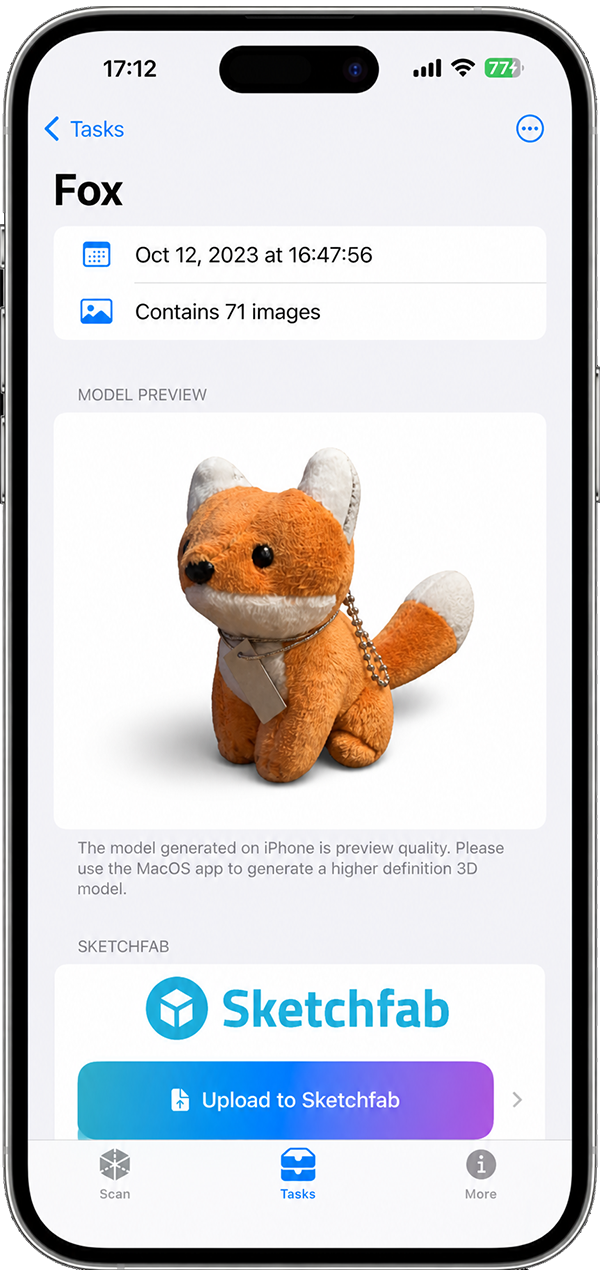
Inspect the generated model before you export it
The result stage is where the product proves itself. You can check the finished model, preview it in AR, and decide whether the next destination is casual sharing, a DCC toolchain, a printer, or Sketchfab.
- AR preview keeps the result grounded in the real world.
- The finished model is visible before you commit to export.
- Sharing feels like the last step of the same flow, not another app.
Room plan
The same app also scans rooms into a readable blueprint workflow
Object capture is only half of the product. Room scanning uses Apple's RoomPlan framework to build a clean 2D and 3D floor plan, then lets you inspect measurements directly from the blueprint view.
Use the same app for object models and full room scanning
The product is not split into unrelated experiences. One mode focuses on object capture, while the other turns a whole room into a floor plan you can inspect and use.
- Object capture and room planning live in one product.
- The room mode is designed for readable architectural output, not just raw spatial data.
- It broadens the app from a scanner into a useful spatial tool.
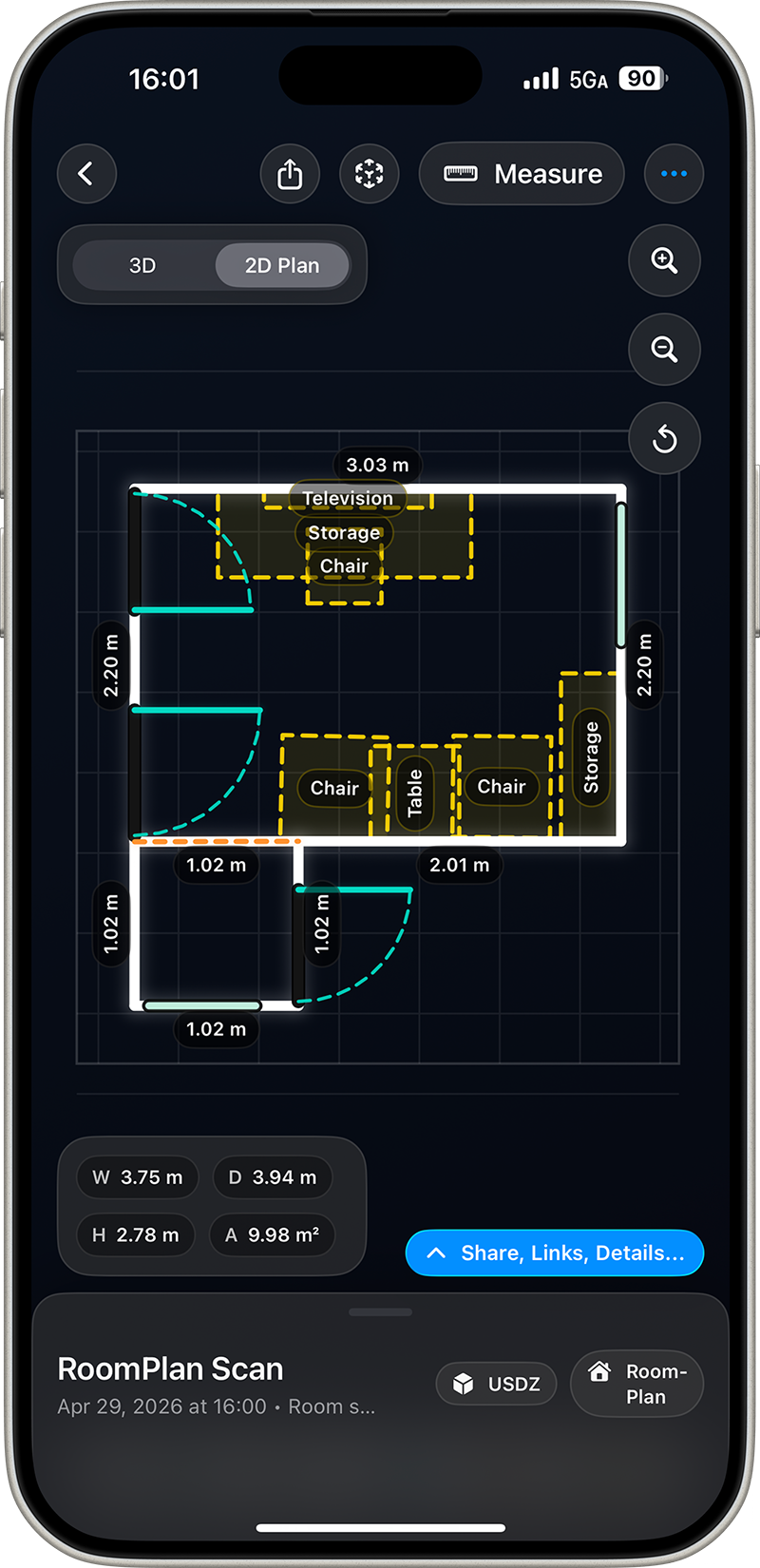
Generate a finalized 2D blueprint after the room scan completes
Instead of ending with an abstract capture view, the room scan resolves into a CAD-styled blueprint that is immediately easier to read, explain, and reuse.
- The output is structured enough to feel practical, not experimental.
- 2D and 3D floor plan views make the room easier to understand at a glance.
- The blueprint screen gives the room scan a clear finished state.
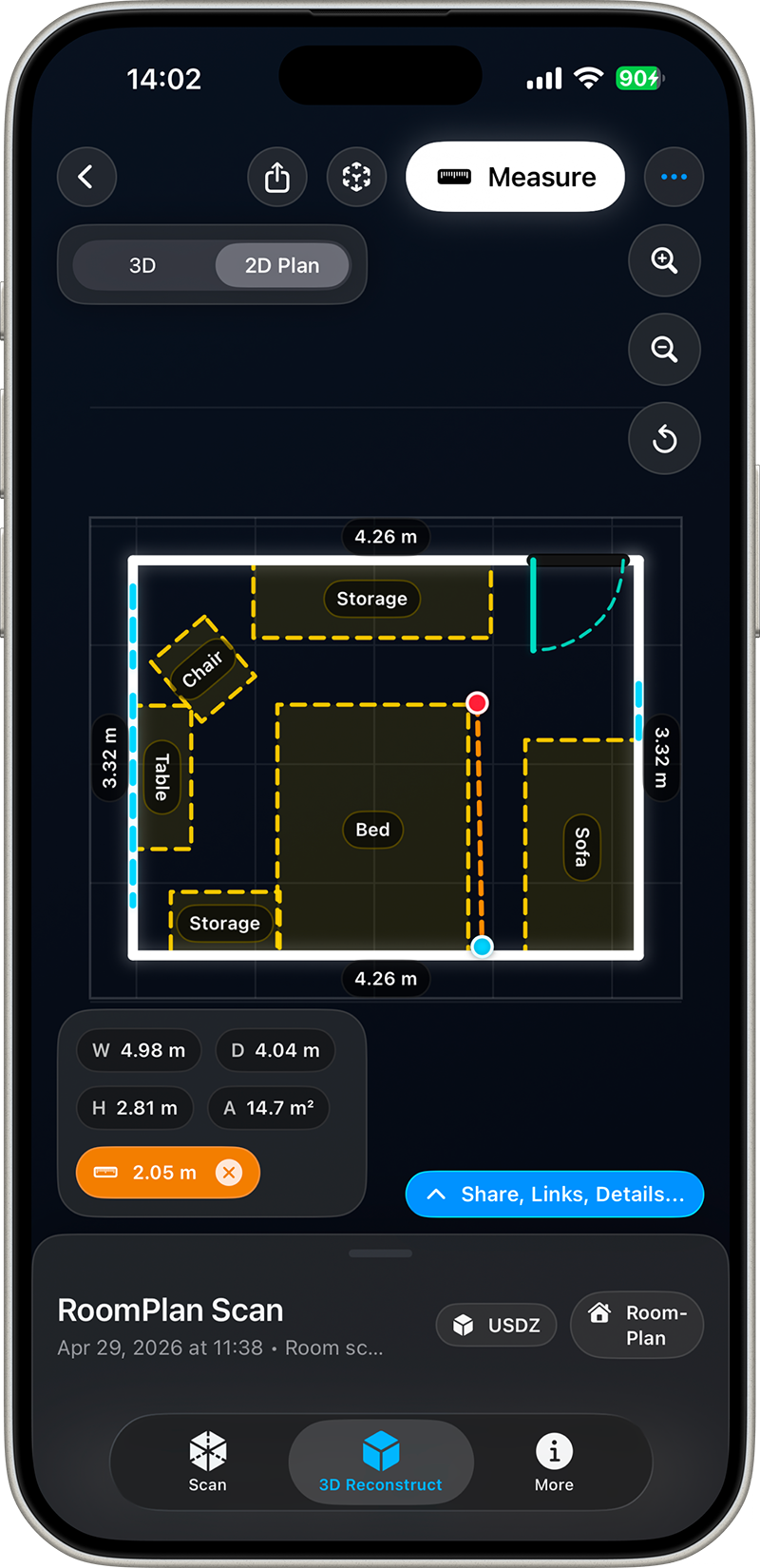
Inspect distances directly from the 2D plan
Measurement is what turns the room output into something more than a screenshot. The plan view can be used to inspect layout and distance without forcing the user back into a raw scanning scene.
- Measure directly on the blueprint instead of guessing from a rendered view.
- The floor plan becomes useful for communication, planning, and reference.
- It gives the room mode a clear practical use case beyond novelty.
Export
Share the result where it needs to go next
Once the scan looks right, the handoff is direct: send the file through Messages or Mail, generate an iCloud Drive link, or upload to Sketchfab with only a few taps.
Start scanning
Compatible iPhone Pro or iPad Pro required
Object capture and room plan scanning both run locally on supported hardware, with export paths ready for casual sharing, AR preview, pro tools, and 3D printing.