This pattern is for apps that create reservations and want Siri to surface them as actionable system events.
This article is framed around a restaurant app, but the same idea applies to flights, trains, tickets, and any other booking workflow with a time, a place, and a stable reservation identifier. Once the app donates that reservation through Intents, Siri can prompt the user to add it to Calendar and later update the event when the reservation changes.
The implementation revolves around INRestaurantReservation, INGetReservationDetailsIntent,
a stable vocabularyIdentifier, and a user activity that points back into the app.
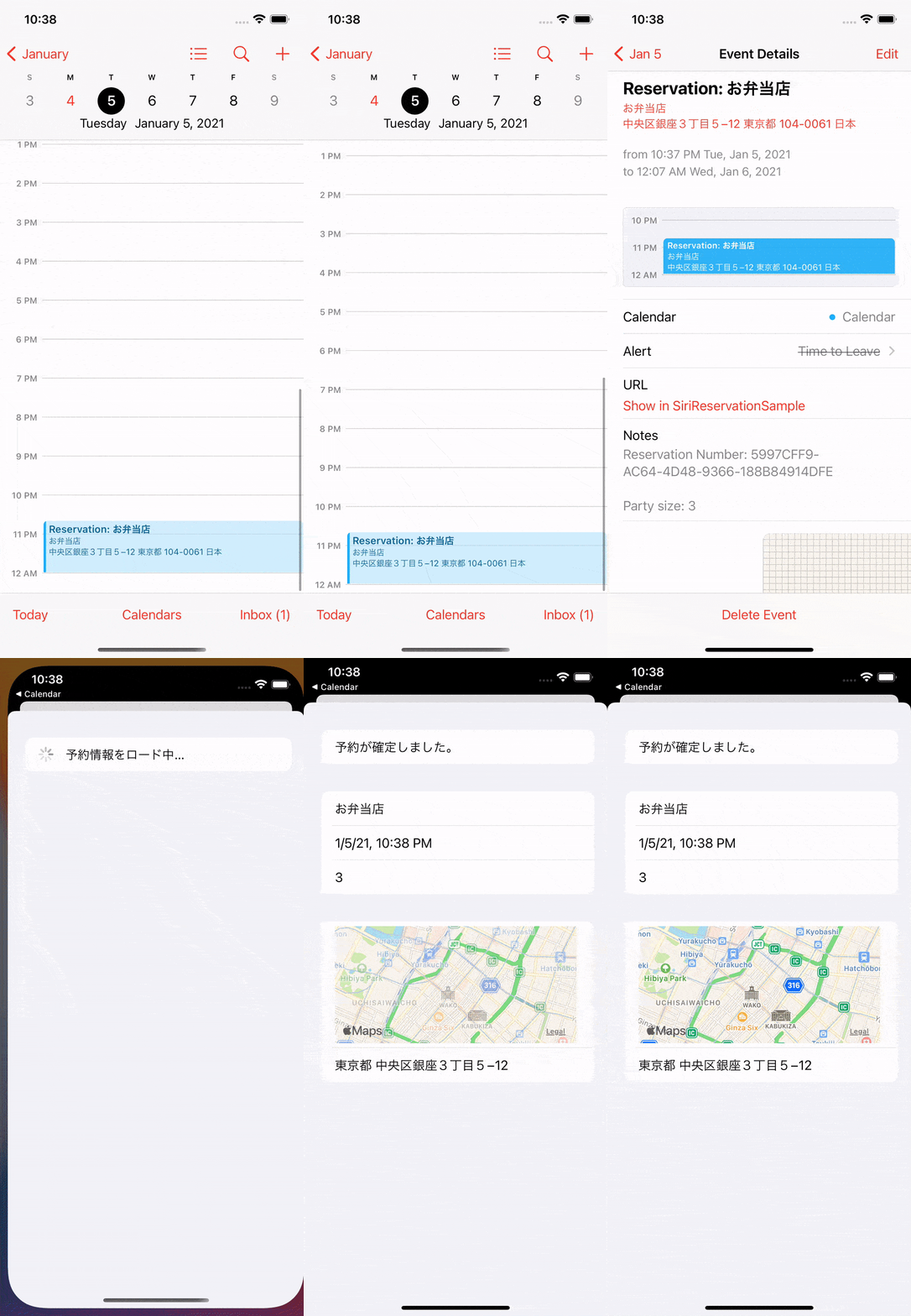
The user-facing payoff is immediate: Siri can suggest the calendar event, fill in venue details, and reflect later reservation changes.
The article starts with the visible benefits rather than the code. First, the system can prompt the user to add the reservation as an event. Second, Siri can fill in details such as the venue location. Third, if the reservation changes later and the app donates the updated details again under the same reservation ID, the existing event can be updated and the Calendar app can signal that change.
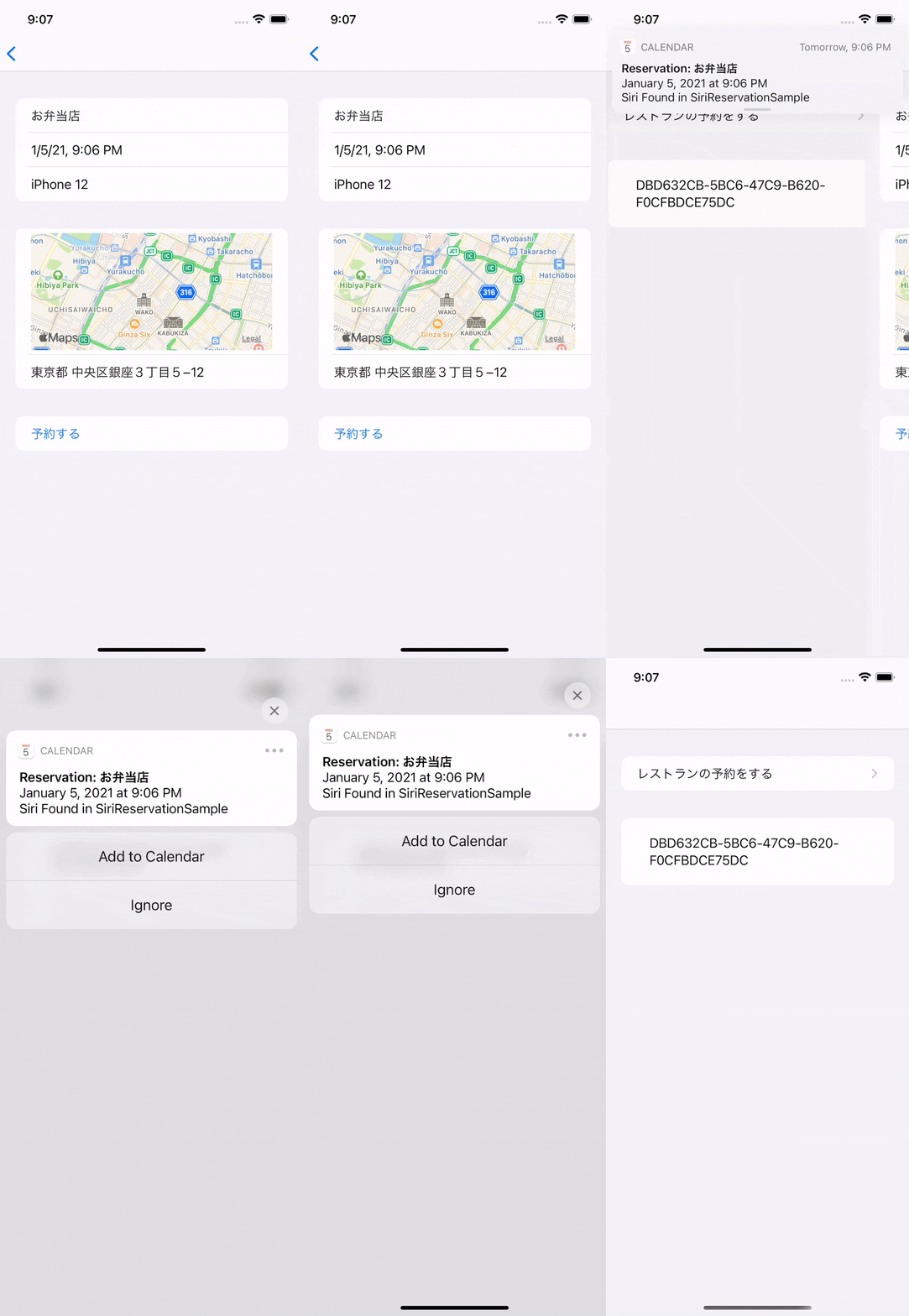
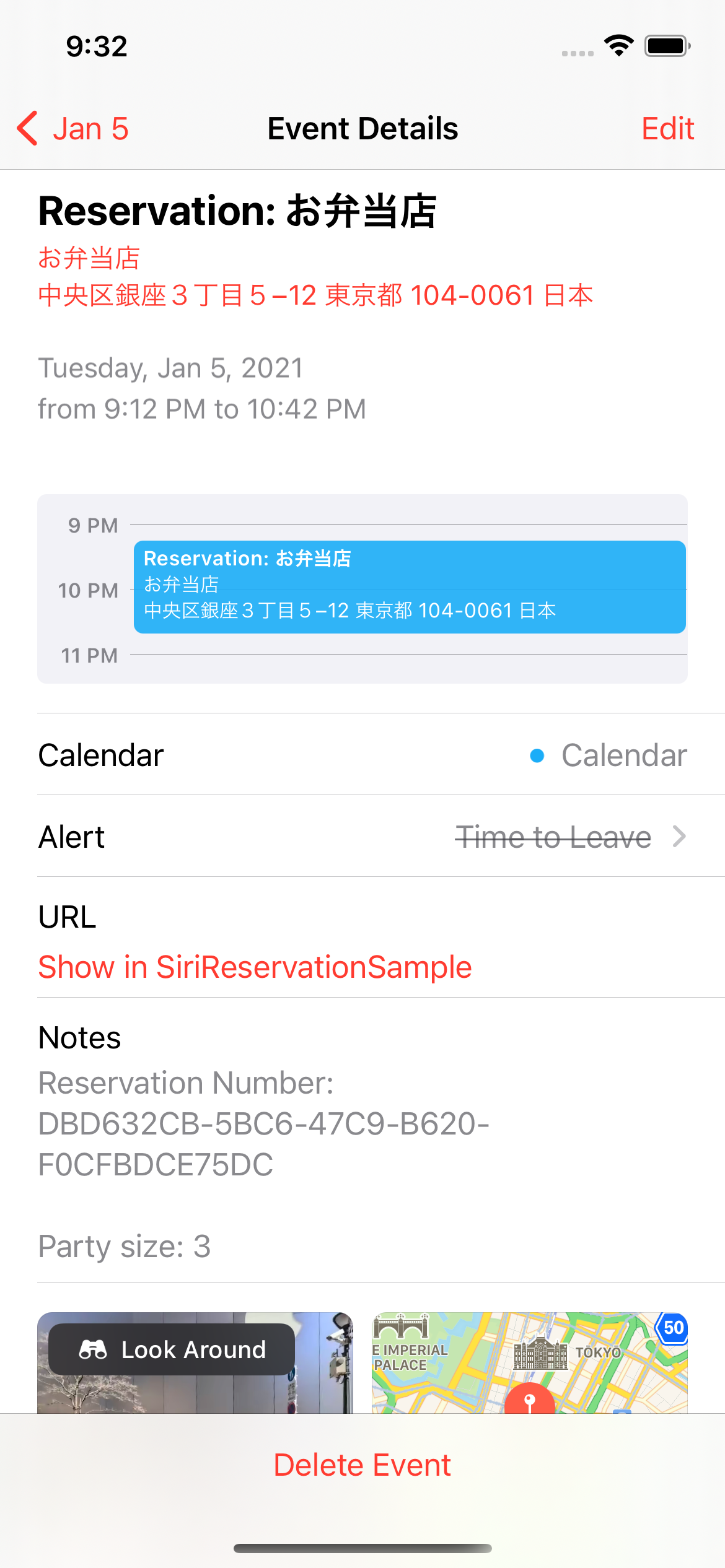
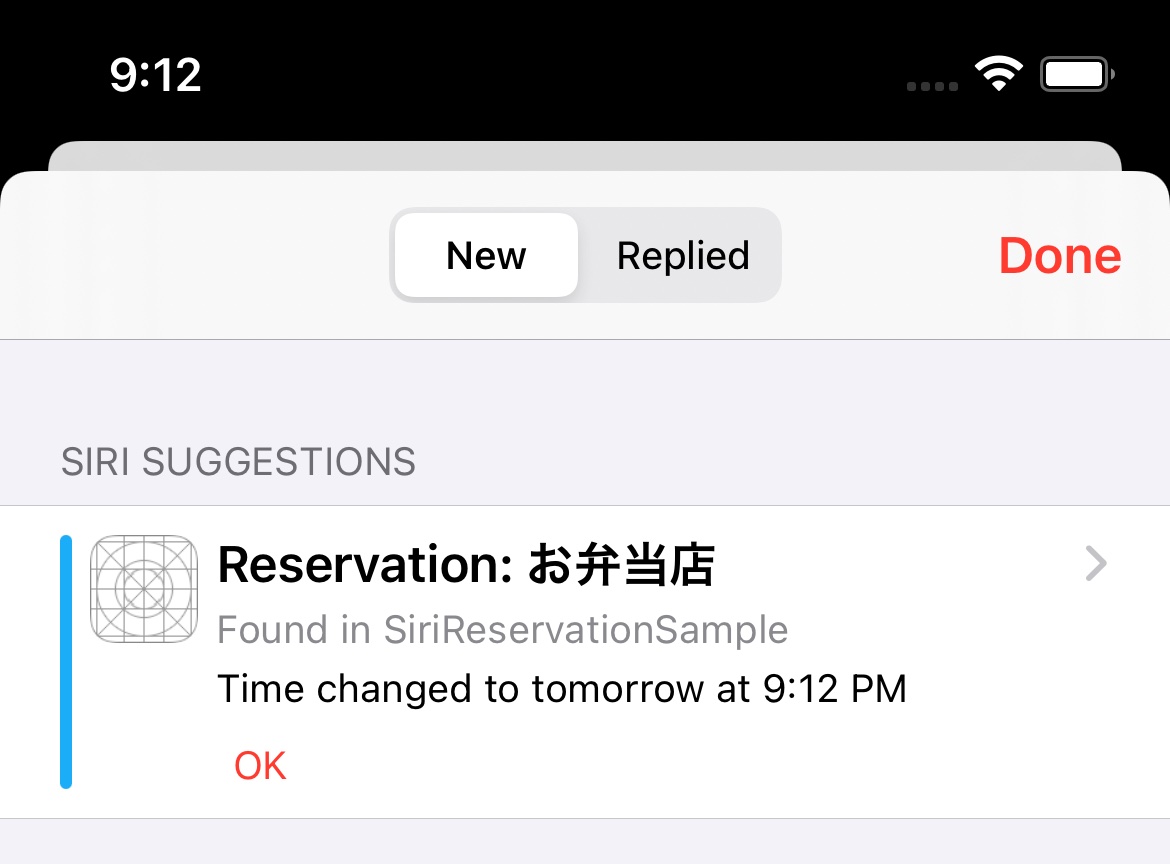
Start by defining how long the reservation should stay relevant to Siri.
The source app treats the reservation as something the user may still need to view for two hours after the booking time.
That time window becomes an INDateComponentsRange, which is used later both for the reservation action
and the reservation duration.
private func getReservationPromoteDateRange(_ item: Reservation) -> INDateComponentsRange {
    let calendar = Calendar.autoupdatingCurrent

    let promoteDateEnd = calendar.date(
        byAdding: .hour,
        value: 2,
        to: item.bookedTime
    ) ?? item.bookedTime

    let promoteDateEndComponents = calendar.dateComponents(
        in: TimeZone.autoupdatingCurrent,
        from: promoteDateEnd
    )

    let promoteDateStart = item.bookedTime
    let promoteDateStartComponents = calendar.dateComponents(
        in: TimeZone.autoupdatingCurrent,
        from: promoteDateStart
    )

    return .init(
        start: promoteDateStartComponents,
        end: promoteDateEndComponents
    )
}
The exact duration is app-specific. The important part is that it is explicit and reused consistently.
Give the reservation a stable speakable identifier, then attach a user activity that knows how to reopen the details screen.
The next two objects are the core identity layer. The article first creates an INSpeakableString where the
vocabularyIdentifier is the reservation ID. Then it creates an NSUserActivity that represents
the "view reservation details" action Siri can take.
let reservationItem = INSpeakableString(
    vocabularyIdentifier: item.reservationID,
    spokenPhrase: "\(item.restaurantName) reservation",
    pronunciationHint: nil
)
private func getViewReservationDetailsAction(_ item: Reservation) -> INReservationAction {
let viewDetailsAction = NSUserActivity(
activityType: "com.example.SiriReservationSample.viewReservationDetails"
)
let reservationDateString = DateFormatter.localizedString(
from: item.bookedTime,
dateStyle: .short,
timeStyle: .short
)
viewDetailsAction.title = "View reservation details for \(item.restaurantName) at \(reservationDateString)"
viewDetailsAction.userInfo = ["reservationID": item.reservationID]
viewDetailsAction.requiredUserInfoKeys = ["reservationID"]
viewDetailsAction.webpageURL = generateReservationURL(item)
return .init(
type: .checkIn,
validDuration: getReservationPromoteDateRange(item),
userActivity: viewDetailsAction
)
}The article also notes that a webpage URL is useful here. It gives the system a web destination when a direct in-app path is not available.
Once the identifier and action exist, build the INRestaurantReservation, wrap it in a reservation-details response, and donate the interaction.
This is the center of the whole feature. The reservation object carries the reservation number, booking time, status, party size, holder name, location, duration, URL, and the action that can reopen the details screen.
import Intents

let reservationActions = [getViewReservationDetailsAction(item)]

let reservation = INRestaurantReservation(
    itemReference: reservationItem,
    reservationNumber: item.reservationID,
    bookingTime: item.bookedTime,
    reservationStatus: item.reservationStatus,
    reservationHolderName: item.personName,
    actions: reservationActions,
    url: generateReservationURL(item),
    reservationDuration: getReservationPromoteDateRange(item),
    partySize: item.reservationPartySize,
    restaurantLocation: item.restaurantLocation
)
The article then donates that reservation through an INGetReservationDetailsIntent response:
let intent = INGetReservationDetailsIntent(
    reservationContainerReference: reservationItem,
    reservationItemReferences: nil
)

let response = INGetReservationDetailsIntentResponse(
    code: .success,
    userActivity: nil
)

response.reservations = [reservation]

let interaction = INInteraction(intent: intent, response: response)
interaction.donate(completion: completionHandler)
One practical rule from this article matters a lot: call this flow every time the user views the reservation, even if nothing changed, and keep the same reservation ID for the same reservation over time. That stable identity is what lets the system treat later donations as updates.
The project also needs the activity type declared in Info so the system recognizes the handoff target.
Because the sample uses the activity type com.example.SiriReservationSample.viewReservationDetails,
the same string needs to appear in the target's supported activity types.
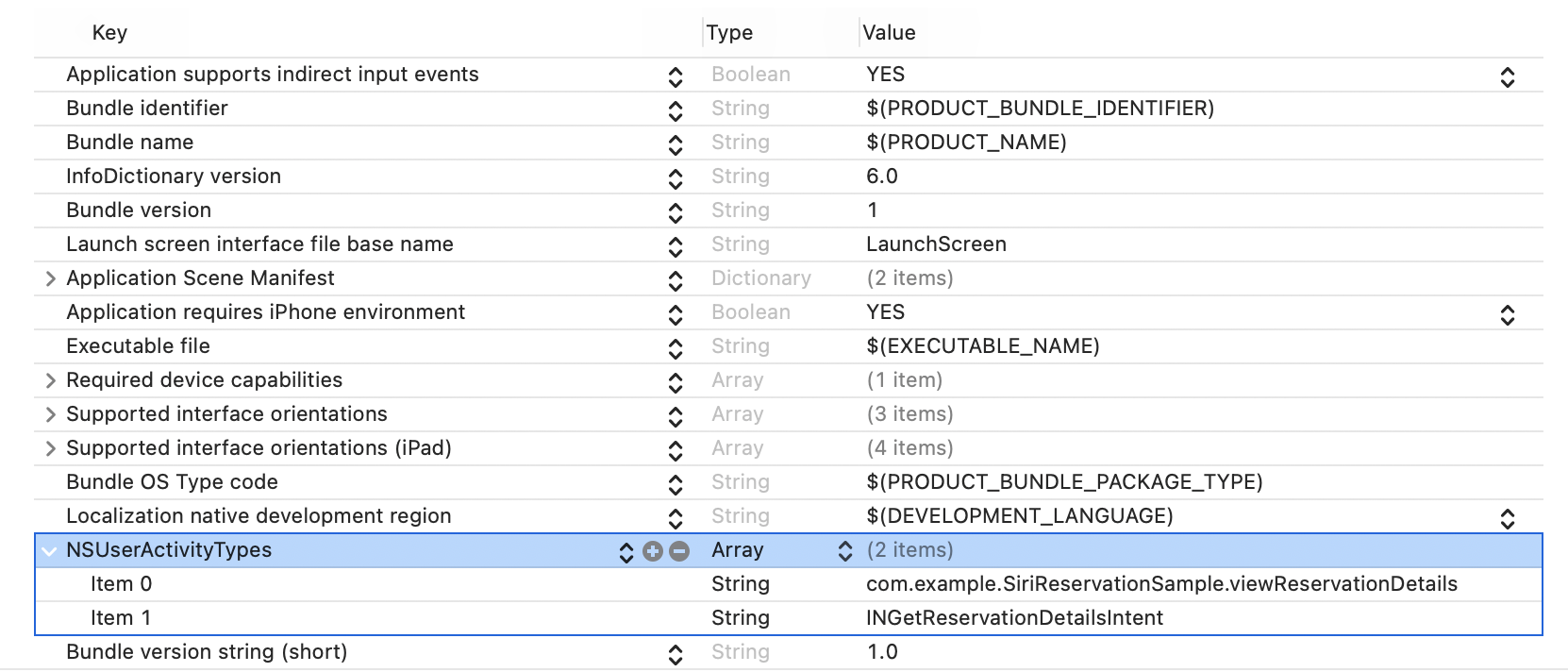
When Siri launches back into the app, read the reservation ID from the intent's speakable reference rather than expecting it in userInfo.
The last section of the article handles the return path. If the user wants to view the reservation from Siri, the app can be reopened and the reservation details screen can be restored. The first hook is the scene continuation callback:
func scene(_ scene: UIScene, continue userActivity: NSUserActivity) {
    if userActivity.activityType == "INGetReservationDetailsIntent" {
        // Handle the return path here.
    }
}
This article says it tried to read the reservation ID from userInfo, but that was not reliable in practice.
Instead, it pulls the reservation item reference out of the intent and reads the vocabularyIdentifier.
if let userActivity = notificationObject.object as? NSUserActivity,
   let intentObject = userActivity.interaction?.intent as? INGetReservationDetailsIntent,
   let reservationName = intentObject.reservationItemReferences?.first,
   let reservationID = reservationName.vocabularyIdentifier {
    DispatchQueue.main.async {
        self.viewingReservationID = .init(reservationID: reservationID)
    }
}
That works because the reservation item was originally created like this:
let reservationItem = INSpeakableString(
    vocabularyIdentifier: item.reservationID,
    spokenPhrase: "\(item.restaurantName) reservation",
    pronunciationHint: nil
)
In other words, vocabularyIdentifier is the durable key that connects the original donation, later updates,
and the app launch-back path.
This feature works best when the reservation data has a stable identity and the app treats donation as an ongoing sync step, not a one-time event.
That is the practical lesson behind the article. The API surface looks large at first, but the structure is consistent: define the time window, create a stable speakable identifier, attach a view-details action, build the reservation object, donate it through the reservation-details intent, declare the supported activity type, and recover the same reservation ID when Siri sends the user back.