This post is a follow-up to earlier SharePlay setup guides. It focuses on the smaller but useful API changes around the iOS 15.4 cycle.
This article was written on February 18, 2022, while iOS 15.4 was still in beta. The underlying ideas are straightforward: Apple was making it easier to start a SharePlay-capable FaceTime flow from within an app and to better control how SharePlay behavior appears in system UI.
This article narrows the scope to a few concrete tasks instead of revisiting the whole SharePlay stack: direct FaceTime call launch, share sheet behavior, session lifecycle control, and system-provided notices.
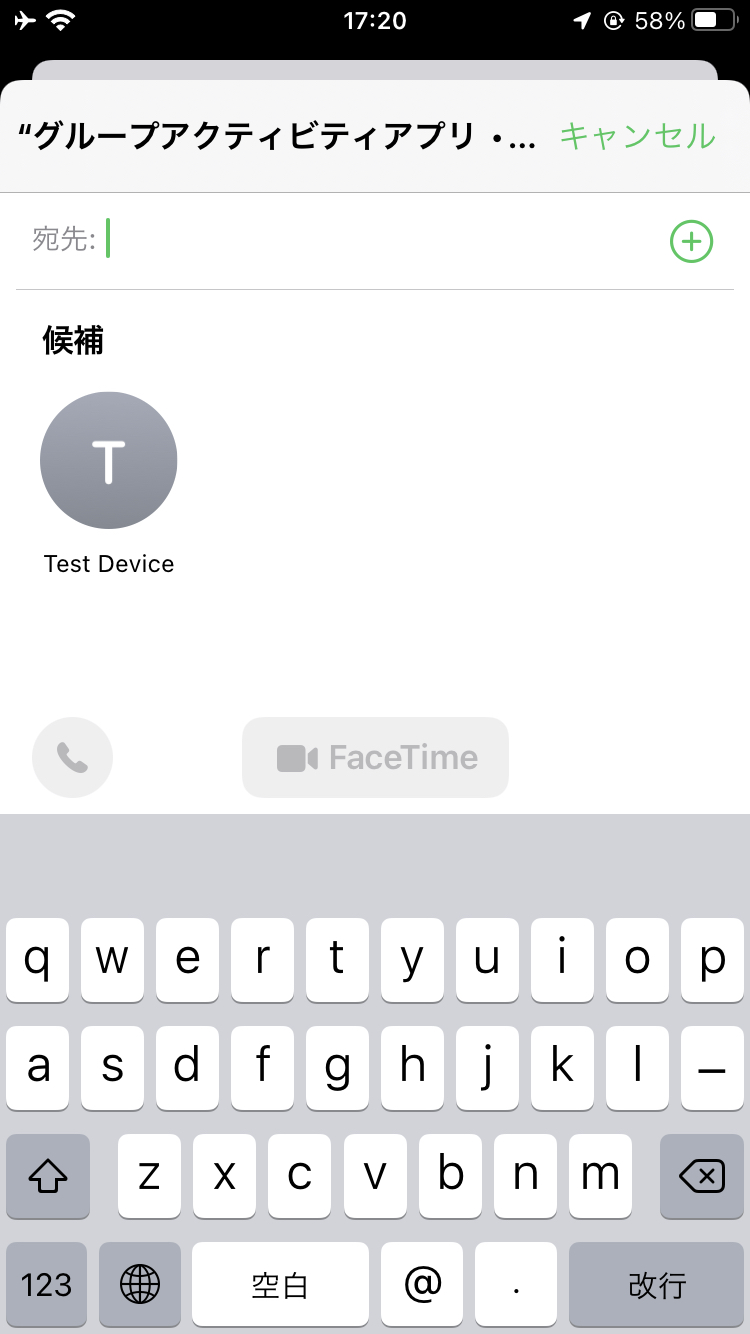
iOS 15.4 added a cleaner path for starting a FaceTime call directly from a SharePlay-capable app.
The main API here is GroupActivitySharingController. If there is no active FaceTime call in progress,
the system can present a contact-picker style UI that lets the user choose participants and start the call from your app.
if #available(iOS 15.4, *) {
    guard let sharingController = try? GroupActivitySharingController(GroupActivityDefinition()) else {
        return
    }
    self.present(sharingController, animated: true)
}
In that snippet, GroupActivityDefinition is the app's own type that conforms to GroupActivity.
The system uses that activity definition to understand what will be shared once the call starts.
The article also shows how to do the same thing from SwiftUI by locating the current key window and presenting the controller through its root view controller.
extension UIApplication {
    var keyWindow: UIWindow? {
        return UIApplication.shared.connectedScenes
            .filter { $0.activationState == .foregroundActive }
            .first(where: { $0 is UIWindowScene })
            .flatMap({ $0 as? UIWindowScene })?
            .windows
            .first(where: \.isKeyWindow)
    }
}

if #available(iOS 15.4, *) {
    Button {
        guard let sharingController = try? GroupActivitySharingController(GroupActivityDefinition()) else {
            return
        }
        UIApplication.shared.keyWindow?.rootViewController?.present(sharingController, animated: true)
    } label: {
        Label("Start a FaceTime call", systemImage: "video.badge.plus")
    }
}
There is an important difference between leaving a session yourself and ending the activity for everyone.
The article calls out two methods that look similar but have different consequences.
If one participant wants to leave while keeping the session active for everyone else, use leave().
groupSession?.leave()
If the activity itself should stop for the whole group, use end() instead.
groupSession?.end()That distinction matters because it maps directly to user intent: personal exit versus global shutdown.
The system can also help by bringing the app forward when necessary and by showing standardized SharePlay notices.
If the shared activity only makes sense while the app is in the foreground, the session can ask the system to bring the experience forward:
groupSession.requestForegroundPresentation()
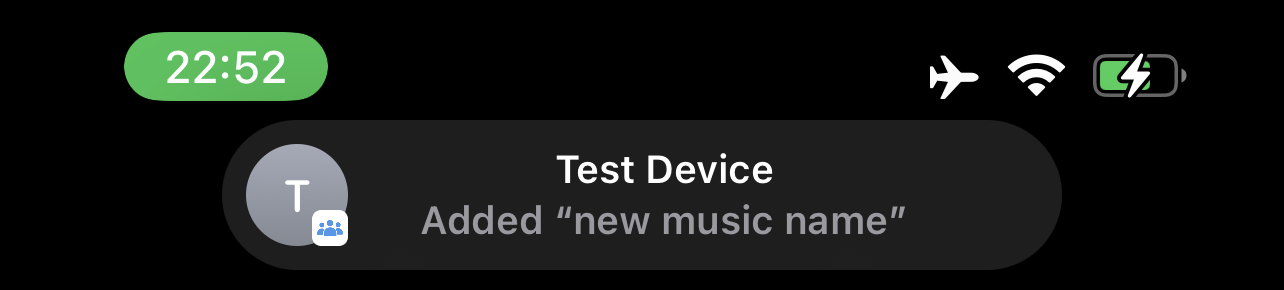
The article also covers the built-in notice UI. These notices appear with participant avatars and use a constrained set of
GroupSessionEvent.Action values supplied by the system.
groupSession?.showNotice(
    .init(originator: originator, action: .play, url: nil)
)
This article links to Apple's documentation for the available GroupSessionEvent.Action options,
because the API intentionally limits those notices to system-defined actions instead of arbitrary custom messaging.
The value of this update was not a whole new framework. It was removing friction around real SharePlay app flows.
Starting FaceTime from the app, managing whether SharePlay shows up in the share sheet, differentiating leave() from end(),
and using the system's own notice UI all make SharePlay feel less like a special-case feature and more like part of the normal platform flow.
That is why this post works well as a short reference. It does not try to teach the entire GroupActivities framework again. It isolates the changes that matter once you already have a SharePlay-capable app.