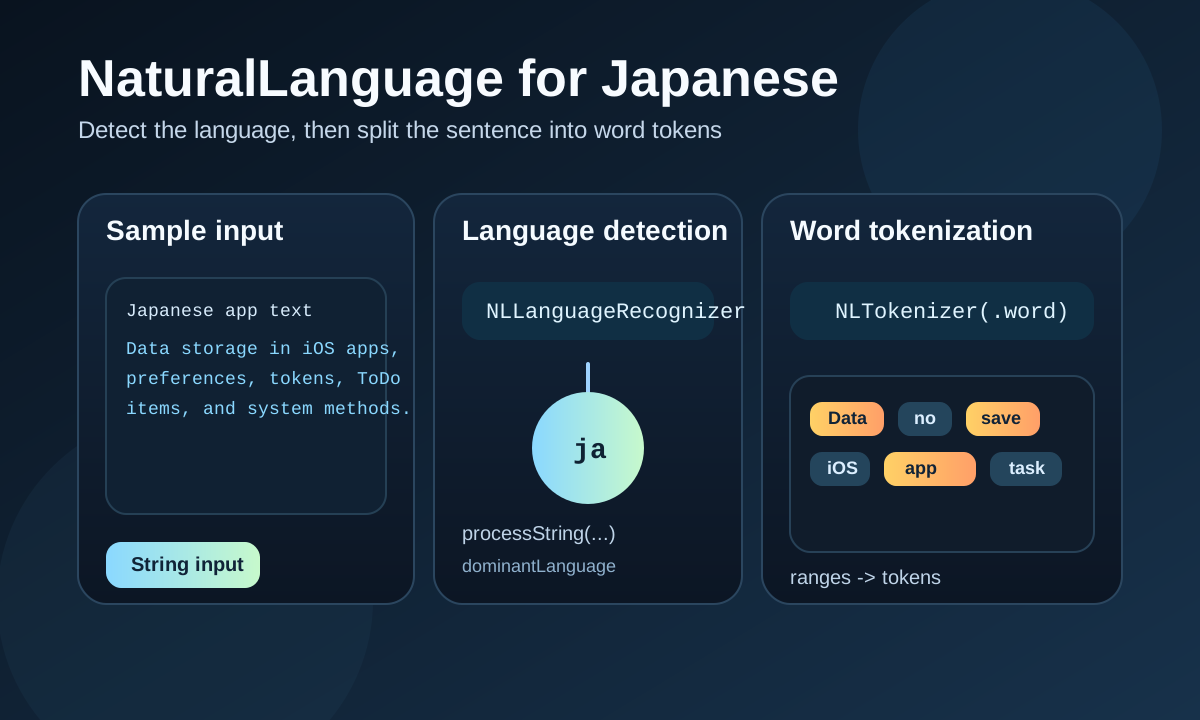
This article is useful because it stays narrow: it shows the first NaturalLanguage features that already make sense for Japanese text in a real app.
Apple ships a NaturalLanguage framework for text analysis on its platforms. This article does not try to cover
the whole framework. Instead, it picks two concrete tasks:
detect the language of a sentence,
and split a Japanese sentence into word tokens.
That second point matters because Japanese is not space-delimited like English. If you want to search, highlight, classify, or preprocess Japanese text, word boundaries are often the first problem to solve.
import NaturalLanguageNaturalLanguage is NLLanguageRecognizer plus NLTokenizer.
The article uses one Japanese paragraph for both demos so the output is easy to compare.
The sample sentence talks about storing data in iOS apps, including preferences, website tokens, and ToDo items. It is long enough to make tokenization interesting without turning into a large corpus example.
データの保存はiOSアプリの持つ主要な機能です。たとえば、ユーザーが指定した色などの環境設定を保存したり、ウェブサイトのトークンをアプリに保存したり、ToDoリストのアプリを作ってタスクを保存したりすることができます。データをシステムに保存する方法はいくつもあります。Using the same text for both operations makes the article easy to follow: first ask what language this is, then ask where the token boundaries are.
NLLanguageRecognizer gives you the dominant language code after you feed it the full string.
The first example in this article builds a recognizer, calls processString, and then reads
dominantLanguage. The result is a language identifier such as ja.
func detectLanguage(text: String) {
    let recognizer = NLLanguageRecognizer()
    recognizer.processString(text)

    let detected = recognizer.dominantLanguage?.rawValue ?? "unknown"
    print("Language: \(detected)")
}
For the Japanese sample text, the output is exactly what you would expect:
Language: jaThis is the kind of low-friction check that can help before translation, indexing, or any feature that needs to branch on the source language.
NLTokenizer can break a Japanese sentence into word units even though the original text has no spaces.
The second half of the article uses NLTokenizer(unit: .word). The tokenizer walks the string, returns ranges,
and then each range gets converted back into a Swift String for printing.
func tokenize(text: String) {
    let tokenizer = NLTokenizer(unit: .word)
    tokenizer.string = text

    let tokenRanges = tokenizer.tokens(for: text.startIndex..<text.endIndex)
    var tokens: [String] = []

    for range in tokenRanges {
        tokens.append(String(text[range]))
    }

    print(tokens)
}
The full output in this article is long, but the important part is that the tokenizer finds meaningful Japanese word boundaries instead of treating the whole sentence as one block.
["データ", "の", "保存", "は", "iOS", "アプリ", "の", "持つ", "主要", "な", "機能", "です", "たとえば", "ユーザー", "が", "指定", "し", "た", "色", ...]That alone is enough to unlock a lot of downstream work: keyword extraction, search indexing, phrase highlighting, and model input preprocessing all get much easier once the text has been segmented.
This article also makes a useful historical note: not every NaturalLanguage feature was equally available for Japanese at the time.
The author notes that other parts of the framework existed, but some of the features they tested were effectively English-only then. That is worth keeping in mind if you read older NaturalLanguage posts: API availability and language coverage are not the same thing.
Even with that limitation, the two examples in the article are still solid starting points because they solve real problems for Japanese text immediately.
This is a small article, but it demonstrates the right first step for Japanese NLP work on Apple platforms: confirm the language, then get the token boundaries.
The post does not overreach into machine learning or complex classification. It shows the first two operations that many text features need anyway, and it does so with APIs that fit cleanly into ordinary Swift code.
If you are exploring Japanese text features on iOS, this is still a reasonable place to start.