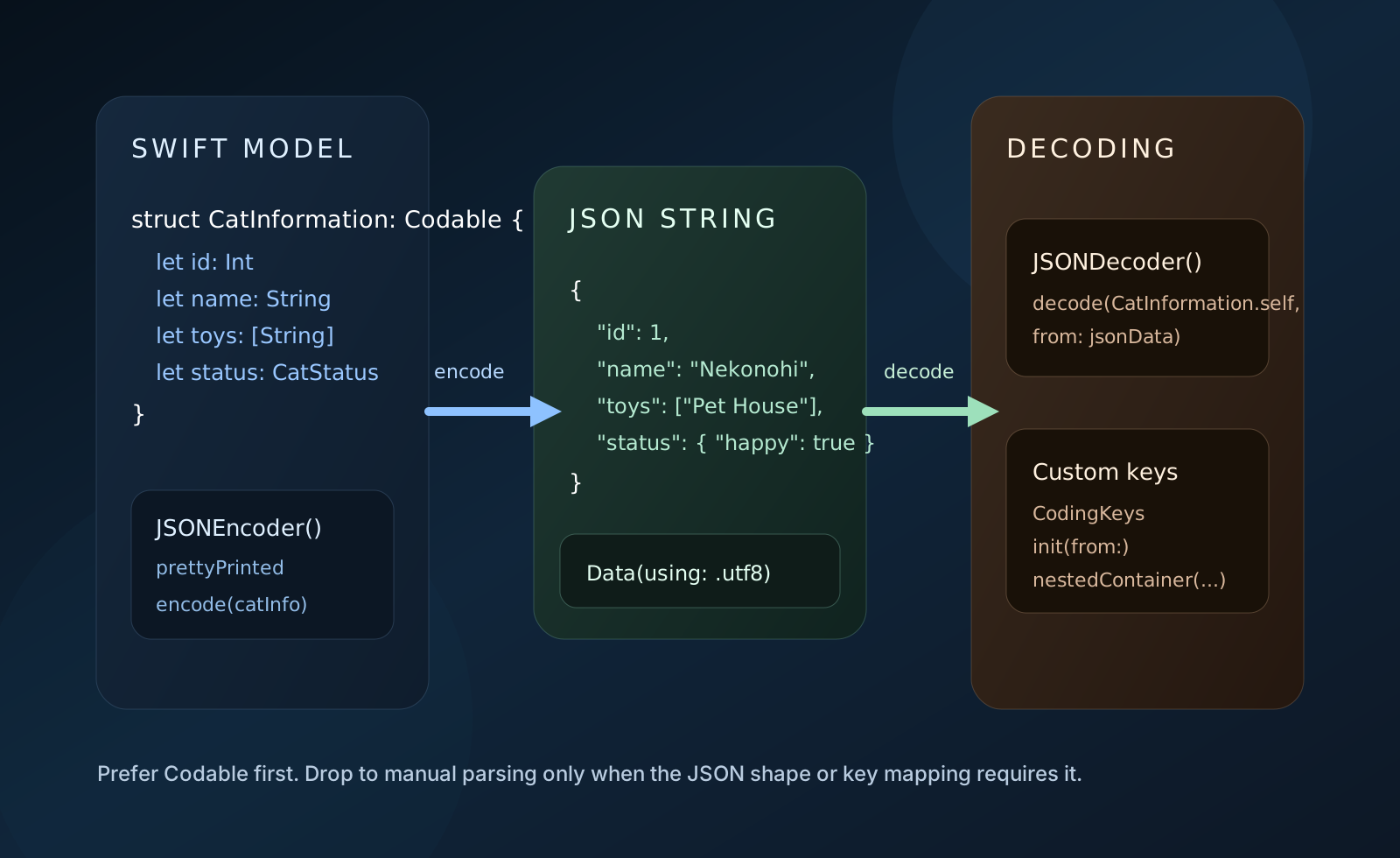
This article is a practical walkthrough of the three most common JSON tasks in a Swift app.
It focuses on:
encoding a Swift object into a JSON string,
decoding a JSON string back into typed models with JSONDecoder,
and decoding more manually with SwiftyJSON.
That makes it a useful primer because it shows both the modern built-in approach and the older, more manual library-based style.
Codable and JSONDecoder should be the default path. Manual parsing is usually the fallback, not the first choice.
The article uses a nested cat example so both flat JSON fields and nested objects are easy to demonstrate.
struct CatInformation {
    let id: Int
    let name: String
    let toys: [String]
    let status: CatStatus
}

struct CatStatus {
    let happy: Bool
    let playing: Bool
}
The nested status object is important because it lets the article cover more than the simple "all keys are flat and all names match" case.
let status = CatStatus(happy: true, playing: true)
let catInfo = CatInformation(
    id: 1,
    name: "Nekonohi",
    toys: ["Pet House", "Tower"],
    status: status
)To generate JSON from a Swift object, the source first upgrades the models to Codable.
struct CatInformation: Codable {
    let id: Int
    let name: String
    let toys: [String]
    let status: CatStatus
}

struct CatStatus: Codable {
    let happy: Bool
    let playing: Bool
}
Once the model conforms to Codable, the actual encoding step is short:
do {
    let encoder = JSONEncoder()
    encoder.outputFormatting = .prettyPrinted
    let data = try encoder.encode(catInfo)
    let jsonString = String(data: data, encoding: .utf8)
    print(jsonString ?? "")
} catch {
    print(error)
}
The article then shows the resulting pretty-printed JSON string. The important point is not the exact formatting, but that the nested Swift model turns into nested JSON without custom code once the model types conform properly.
If the JSON keys already match your model property names, JSONDecoder is the simplest path back into typed Swift data.
This article starts with the easy version: make the models Decodable, convert the JSON string to Data,
and ask JSONDecoder to build the target type.
struct CatInformation: Decodable {
    let id: Int
    let name: String
    let toys: [String]
    let status: CatStatus
}

struct CatStatus: Decodable {
    let happy: Bool
    let playing: Bool
}

let jsonData = jsonString.data(using: .utf8)!
let decoder = JSONDecoder()
let catInfo = try decoder.decode(CatInformation.self, from: jsonData)
The article also extends that into an array example, decoding [CatInformation] from a larger JSON string that contains multiple cats.
The more interesting section is when the model property names do not match the JSON keys anymore.
In that version, the article renames the Swift properties to names like catID, catName, and catToys.
That breaks the automatic mapping, so the decoder needs help.
The solution is a custom CodingKeys enum plus an explicit init(from:).
That lets you decode plain keys and nested keys separately.
struct CatInformation: Decodable {
    let catID: Int
    let catName: String
    let catToys: [String]
    let catIsHappy: Bool
    let catIsPlaying: Bool

    enum CodingKeys: String, CodingKey {
        case catID = "id"
        case catName = "name"
        case catToys = "toys"
        case catStatus = "status"
    }

    enum StatusKeys: String, CodingKey {
        case happy
        case playing
    }

    init(from decoder: Decoder) throws {
        let values = try decoder.container(keyedBy: CodingKeys.self)
        catID = try values.decode(Int.self, forKey: .catID)
        catName = try values.decode(String.self, forKey: .catName)
        catToys = try values.decode([String].self, forKey: .catToys)

        let status = try values.nestedContainer(keyedBy: StatusKeys.self, forKey: .catStatus)
        catIsHappy = try status.decode(Bool.self, forKey: .happy)
        catIsPlaying = try status.decode(Bool.self, forKey: .playing)
    }
}
This is the part of the article that stays useful even after you already know basic Codable,
because custom key mapping and nested containers are where many real decoding tasks start to get slightly more complex.
The final section shows the library-style alternative: parse the structure first, then pull values out manually.
The source uses SwiftyJSON, an open-source JSON helper, to walk through arrays, dictionaries, and nested fields by hand.
The integration reference linked from this article is here: SwiftyJSON integration guide.
import SwiftyJSON

let data = jsonString.data(using: .utf8)!
let json = JSON(data)

if let catArrays = json.array {
    for catInformation in catArrays {
        if let catDictionary = catInformation.dictionary {
            let id = catDictionary["id"]?.int
            let name = catDictionary["name"]?.string
            let toys = catDictionary["toys"]?.array as? [String]

            if let status = catDictionary["status"]?.dictionary {
                let isHappy = status["happy"]?.bool
                let isPlaying = status["playing"]?.bool
                print(id, name, toys, isHappy, isPlaying)
            }
        }
    }
}
This works, but it also shows why built-in decoding usually wins today. The library approach is more manual, more optional-heavy, and easier to get wrong when the JSON shape changes.
The article is still a good summary of the JSON decision tree in Swift: use Codable when you can, drop to manual parsing only when you have a concrete reason.
If the JSON shape matches your models, Codable gives you the shortest and safest path.
If the names differ, custom keys and nested containers are usually enough.
And if you truly need manual access to loose or unpredictable data, a parser like SwiftyJSON can still be useful, but it should be the exception rather than the default.