The core idea is practical: use GitHub identity to reduce spam, keep verified email choices in the session, and only then show the contact form.
This article is both a project write-up and a Vapor learning diary. The project itself is small, but it touches several server-side concerns at once: routing, templates, OAuth, asynchronous network calls, session storage, third-party APIs, Linux deployment, and TLS.
The stack used in this article is straightforward:
Vapor for the server,
Leaf for HTML templates,
GitHub OAuth for sign-in,
hCaptcha for bot checks,
Mailgun for outbound email,
and Nginx as the public-facing reverse proxy.
The flow is opinionated on purpose: ask the user to sign in first, reuse a verified GitHub email address, then gate the final submission with CAPTCHA.
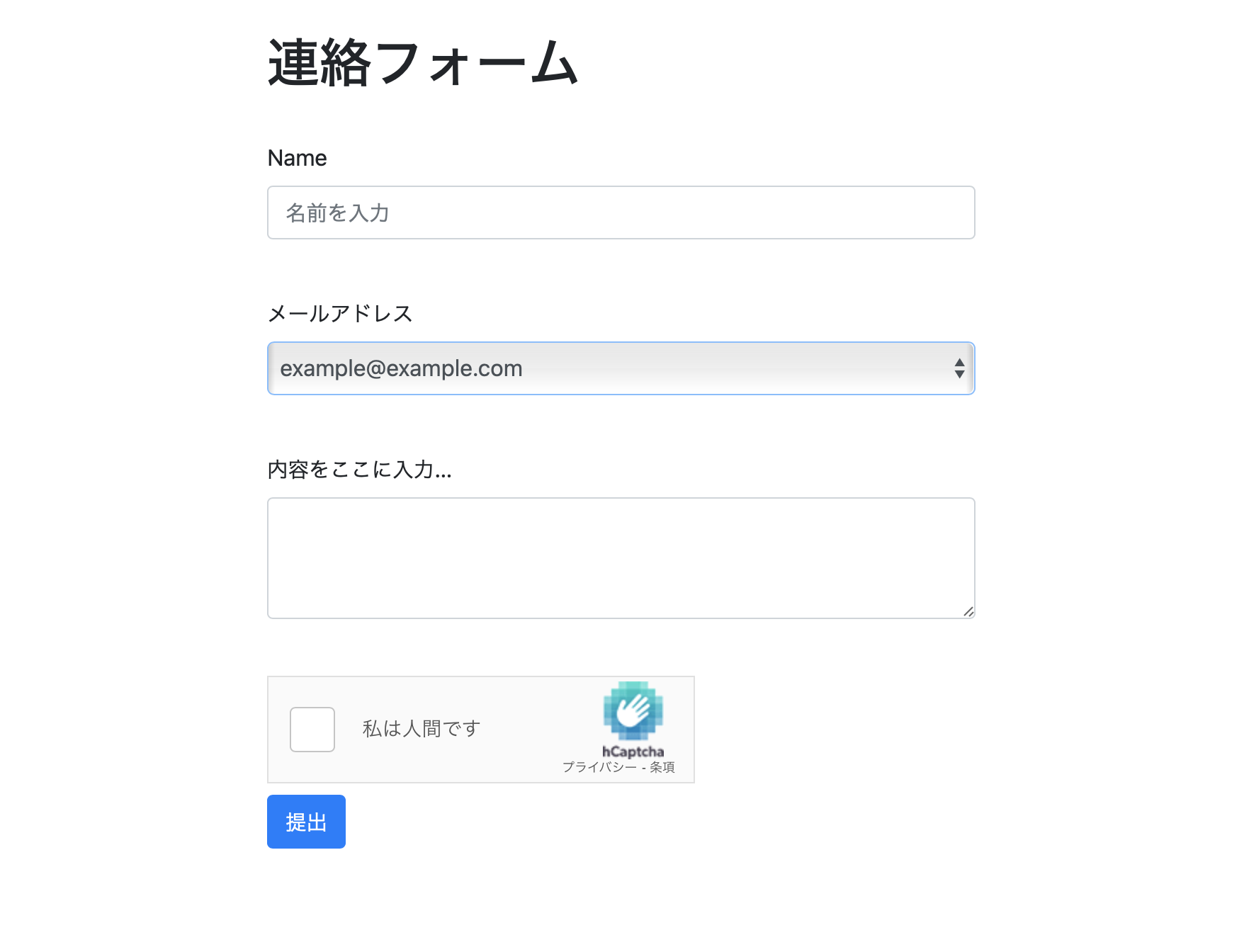
In the source project, the homepage contains a single button that sends the user to GitHub sign-in. After GitHub authenticates the user, the server exchanges the callback code for an OAuth token, fetches the user's email addresses, stores them in session storage, and renders a form where the user can pick one of those addresses as contact information.
That design tries to solve two problems at once: reduce obvious spam and avoid asking the user to type an arbitrary sender address that may not actually belong to them.
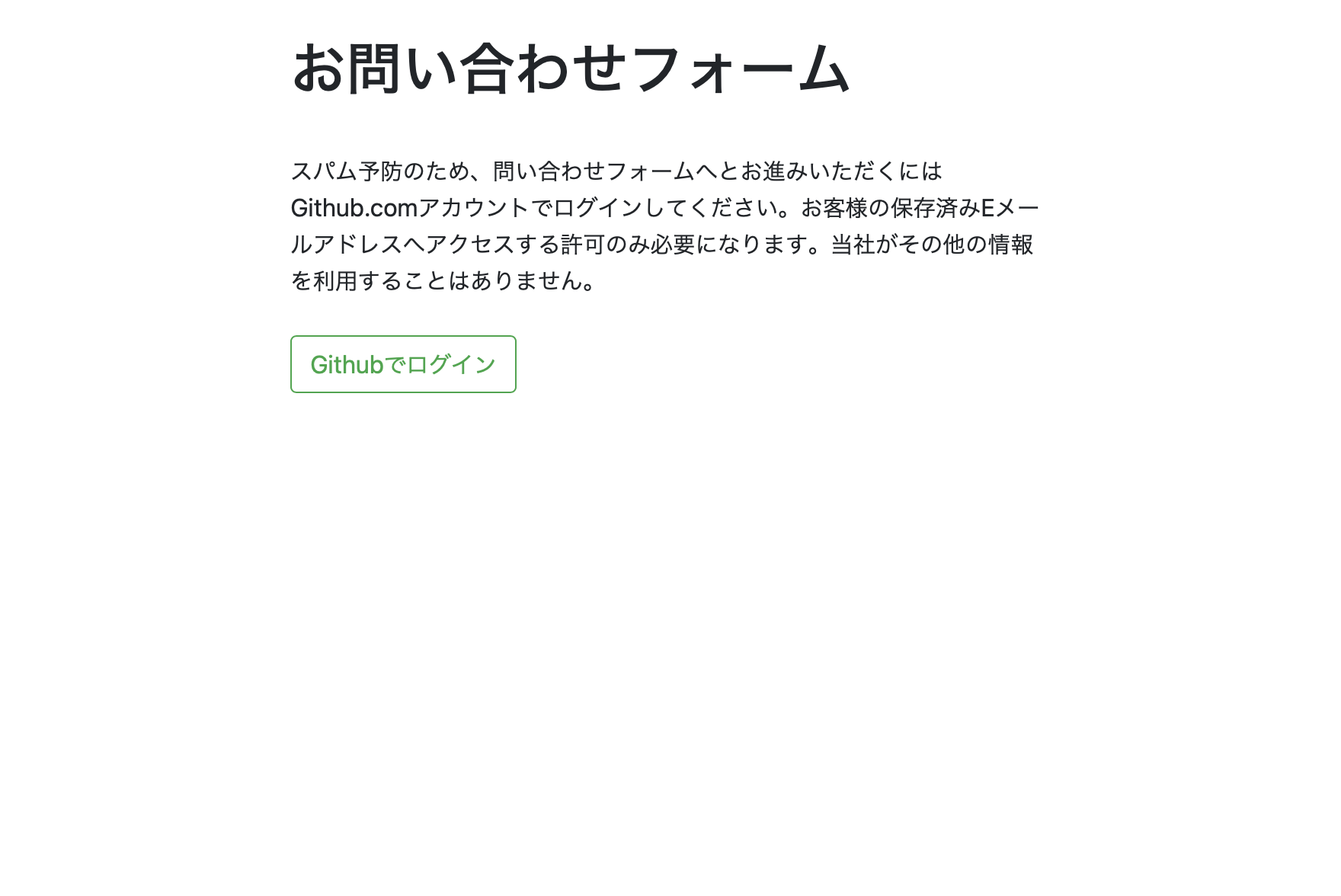
The GitHub setup is the first dependency that matters: create a GitHub App, set the callback URL, and allow read-only access to the user's email addresses.
The article stores external secrets in APICredentials.swift. That file is expected to contain
the GitHub client ID and secret, the Mailgun settings, and the hCaptcha app credentials.
On the GitHub side, the callback URL is configured as
https://[your-domain]/github_callback.
The post also calls out one permission that is easy to miss:
in Permissions & events, set
Email addresses under User permissions to Read-Only.
app.get("start") { request in
    return request.redirect(
        to: "https://github.com/login/oauth/authorize?client_id=\(APICredentials.github_client_id)"
    )
}
That route is intentionally simple. Its only job is to send the browser into GitHub's OAuth flow.

The interesting server-side part is the callback route: it needs asynchronous work, so the article leans on EventLoopFuture instead of pretending network calls are immediate.
Once GitHub redirects back with a code query parameter, the server exchanges that code for an
access token and then fetches the user's email addresses from the GitHub API. Because those are network
operations, the route returns EventLoopFuture<Response>.
app.get("github_callback") { request -> EventLoopFuture<Response> in
    let promise = request.eventLoop.makePromise(of: Response.self)

    if let authCode = try? request.query.get(String.self, at: "code") {
        RequestController.shared.fetchToken(loginCode: authCode) { result in
            if let fetchedToken = result.code {
                RequestController.shared.fetchEmailAddress(authToken: fetchedToken) { userEmails in
                    if userEmails.count > 0 {
                        request.session.data["github_email_addresses"] = userEmails.joined(separator: ",")
                        promise.succeed(request.redirect(to: "/form"))
                    } else {
                        promise.succeed(.failedObtainEmailFromGithub(version: request.version))
                    }
                }
            } else {
                let errorMessage = result.error ?? "Unknown error"
                promise.succeed(.generateResponse(text: errorMessage, status: .unauthorized, version: request.version))
            }
        }
    } else {
        promise.succeed(.failedObtainGithubAuthCode(version: request.version))
    }

    return promise.futureResult
}
Session storage has to be enabled ahead of time in configure.swift, and the article keeps the
fetched email list as a comma-separated value in the session:
app.middleware.use(app.sessions.middleware)
app.sessions.configuration.cookieName = "session_id"

request.session.data["github_email_addresses"] = userEmails.joined(separator: ",")
One Linux-specific note in the source is also worth keeping: code that uses URLSession on Ubuntu
may need conditional import of FoundationNetworking.
import Foundation
#if canImport(FoundationNetworking)
import FoundationNetworking
#endifAfter authentication, Vapor renders the form from a Leaf template and injects the user's email addresses into the picker.
The article builds form.leaf with a placeholder named #(FormOptions), then fills
that placeholder at render time. This keeps the HTML template mostly static while still letting the server
tailor the form to the active session.
app.get("form") { request -> EventLoopFuture<View> in
    if let emailAddressesString = request.session.data["github_email_addresses"] {
        var formOptionString = ""
        let emailAddresses = emailAddressesString.split(separator: ",")

        for emailAddress in emailAddresses {
            formOptionString.append("<option>\(emailAddress)</option>")
        }

        return request.view.render("form", ["FormOptions": formOptionString])
    } else {
        return request.view.render(
            "message",
            ["title": "Unauthorized", "content": "The session does not contain a valid email list."]
        )
    }
}
From there, the submit endpoint performs the final checks: validate the hCaptcha result,
package the user input, and send it through Mailgun. This article does not inline the full Mailgun
request code, but it points to the implementation in RequestController.swift and notes that
the submit route also uses EventLoopFuture while waiting for the API response.
The deployment section is old but still readable as a deployment pattern: install Swift, build the app on Ubuntu, and keep it running under supervisor.
The post uses Ubuntu 20.04 on a small EC2 instance. It installs Swift manually, installs the Vapor toolbox,
clones the repository into /home/ubuntu/feedbackform, and builds the project there.
To simplify startup, the article creates a run.sh script that builds in release mode and serves
the app on port 8080:
#!/bin/bash
swift build --configuration release
.build/release/Run serve --env production --port 8080 --hostname 0.0.0.0
It then hands process management to supervisor so the server can restart automatically and come
back after reboot:
[program:app_collection]
command=/home/ubuntu/feedbackform/run.sh
directory=/home/ubuntu/feedbackform
autorestart=true
user=ubuntu
supervisorctl reread
supervisorctl update
That leaves the Vapor process listening on localhost:8080, which is where the reverse proxy takes over.
The last step is conventional but important: expose ports 80 and 443 through Nginx, proxy traffic to Vapor on port 8080, and add certificates separately.
The article first installs Nginx and replaces the default site configuration with a very small reverse proxy:
server {
    listen 80 default_server;
    listen [::]:80 default_server;

    location / {
        proxy_pass http://localhost:8080;
    }
}
For TLS, the post uses Let's Encrypt through certbot, validates domain ownership with DNS, and
then inserts the generated certificate paths into the Nginx config:
sudo apt-get update
sudo apt-get install python3-certbot-nginx
sudo certbot -d [Your domain] --manual --preferred-challenges dns certonly
ssl_certificate /etc/letsencrypt/live/[Domain name]/fullchain.pem;
ssl_certificate_key /etc/letsencrypt/live/[Domain name]/privkey.pem;server {
listen 443 ssl;
ssl_certificate /etc/letsencrypt/live/[Domain name]/fullchain.pem;
ssl_certificate_key /etc/letsencrypt/live/[Domain name]/privkey.pem;
ssl_protocols TLSv1.2;
location / {
proxy_pass http://localhost:8080;
}
}After that, reloading Nginx makes the Vapor app publicly reachable over HTTPS while the Swift server itself stays private behind the proxy.
This is a useful starter project because it connects several real server concerns in one place instead of stopping at a hello-world Vapor route.
If you already know Swift from Apple-platform work and want one small server project that forces you to deal with routing, OAuth, sessions, templates, asynchronous responses, outbound APIs, and Linux deployment, this contact form is still a solid exercise.
The exact package versions in the 2020 post are dated, but the architectural lessons are still the point: keep the routes small, make asynchronous work explicit, render templates with only the data you need, and let Nginx handle the public edge.