The article compares container behavior by watching when each row view actually triggers work, not by relying on vague performance assumptions.
This article is about a practical SwiftUI issue: what happens when each cell or row causes a network request, such as downloading a book cover or an animal image. If the container eagerly creates all child views, the app may trigger a large burst of requests the moment the screen appears.
The comparison focuses on four options:
VStack,
LazyVStack,
LazyHStack,
List,
and as a side note, Form.
If your rows fetch images or other remote data, loading only the visible part of the list can cut down the initial burst of work dramatically.
The article frames this with a book-list example: when a screen shows many books, you may want to download only the images that are on screen right now, then fetch more as the user scrolls. That is the core reason lazy containers matter.
In the sample project, the author tracks behavior by printing request IDs from the mock network layer, so you can see exactly how many rows triggered work and in what order.
The example data source is intentionally simple: a shared networking helper returns a list of IDs, and the row view does the per-item work.
The article does not need a complicated data model. The important part is that each rendered
ItemDisplay can cause work, which makes row creation visible in the console.
That makes this article useful as a mental model: container choice changes when rows come into existence, and that changes when side effects such as downloads begin.
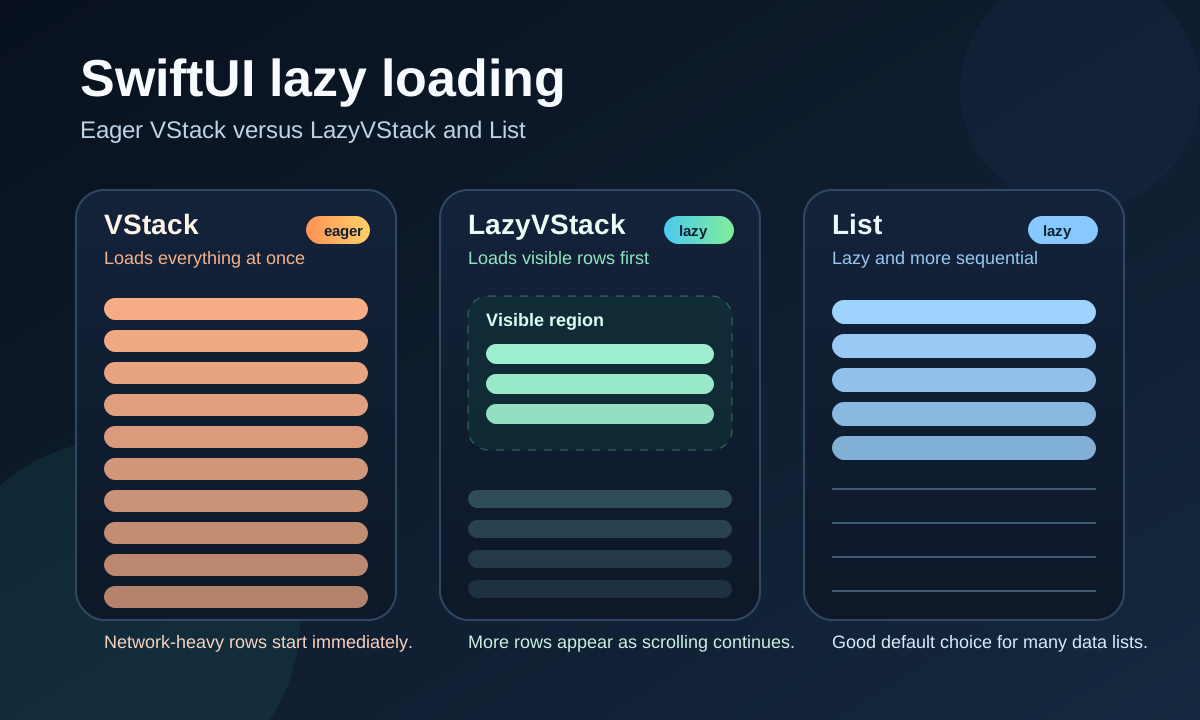
A plain VStack inside a ScrollView eagerly builds every row, so it is the wrong choice when rows trigger expensive work.
ScrollView {
    VStack {
        ForEach(Networking.shared.getAllCatIDs(), id: \.self) { catID in
            ItemDisplay(catID: catID)
        }
    }
}
This article shows that this version triggers all IDs immediately. If each row kicks off a network request, then the app effectively starts loading the entire dataset at launch.
id: 99
id: 98
id: 97
...
id: 2
id: 1
id: 0
The exact ordering is not the main point. The main point is that everything starts at once.
LazyVStack delays row creation so the initial work is limited to what is near the visible area, and LazyHStack gives the same idea for horizontal layouts.
ScrollView {
    LazyVStack {
        ForEach(Networking.shared.getAllCatIDs(), id: \.self) { catID in
            ItemDisplay(catID: catID)
        }
    }
}
In the sample run from the article, LazyVStack does not load everything immediately. Instead,
it creates only an initial subset of rows, roughly enough for the current viewport and nearby content.
id: 21
id: 9
id: 10
id: 22
id: 1
id: 8
...
id: 26
id: 3
id: 0
The order is not sequential, which is one of the useful observations in this article. The framework is not promising that rows will appear in a simple ascending order. It is only promising that not everything is built up front.
For horizontally scrolling content, the article notes that the same pattern applies with LazyHStack.
List also loads lazily, but in the sample project it behaves more sequentially than LazyVStack.
List(Networking.shared.getAllCatIDs(), id: \.self) { catID in
    ItemDisplay(catID: catID)
}
The article reports that List initially loads only the first several elements, then continues
loading more as the user scrolls. Compared with the sample logs from LazyVStack, the load order
appears more regular:
id: 0
id: 1
id: 2
id: 3
id: 4
...
id: 18
id: 19
That does not automatically make List better in every case, but it does make it a very strong
default when you want list behavior and prefer a more conventional loading pattern.
Form also avoids loading everything immediately, but this article observed duplicate work for some elements, so it is not presented as the cleanest option for this use case.
Form {
    ForEach(Networking.shared.getAllCatIDs(), id: \.self) { catID in
        ItemDisplay(catID: catID)
    }
}
According to the article's console output, Form initially behaves somewhat like a lazy container,
but some elements appear to be loaded more than once:
id: 0
id: 1
id: 2
...
id: 18
id: 19
id: 0
id: 1
id: 2
...
id: 19
id: 18
id: 17
id: 16
The article does not turn this into a deep framework diagnosis. It simply treats it as a reason not to use
Form as the first choice for this specific lazy-loading pattern.
The main rule from this article still holds up: when row creation triggers real work, prefer lazy containers so that data loads when the user is actually near it.
If your screen is really a list of items with remote images or other on-demand content, do not build it with
an eager VStack. Use LazyVStack, LazyHStack, or List
depending on the layout and behavior you want.
The article is especially useful because it does not talk about "performance" abstractly. It shows that container choice changes when requests begin, which is the effect developers actually need to reason about.