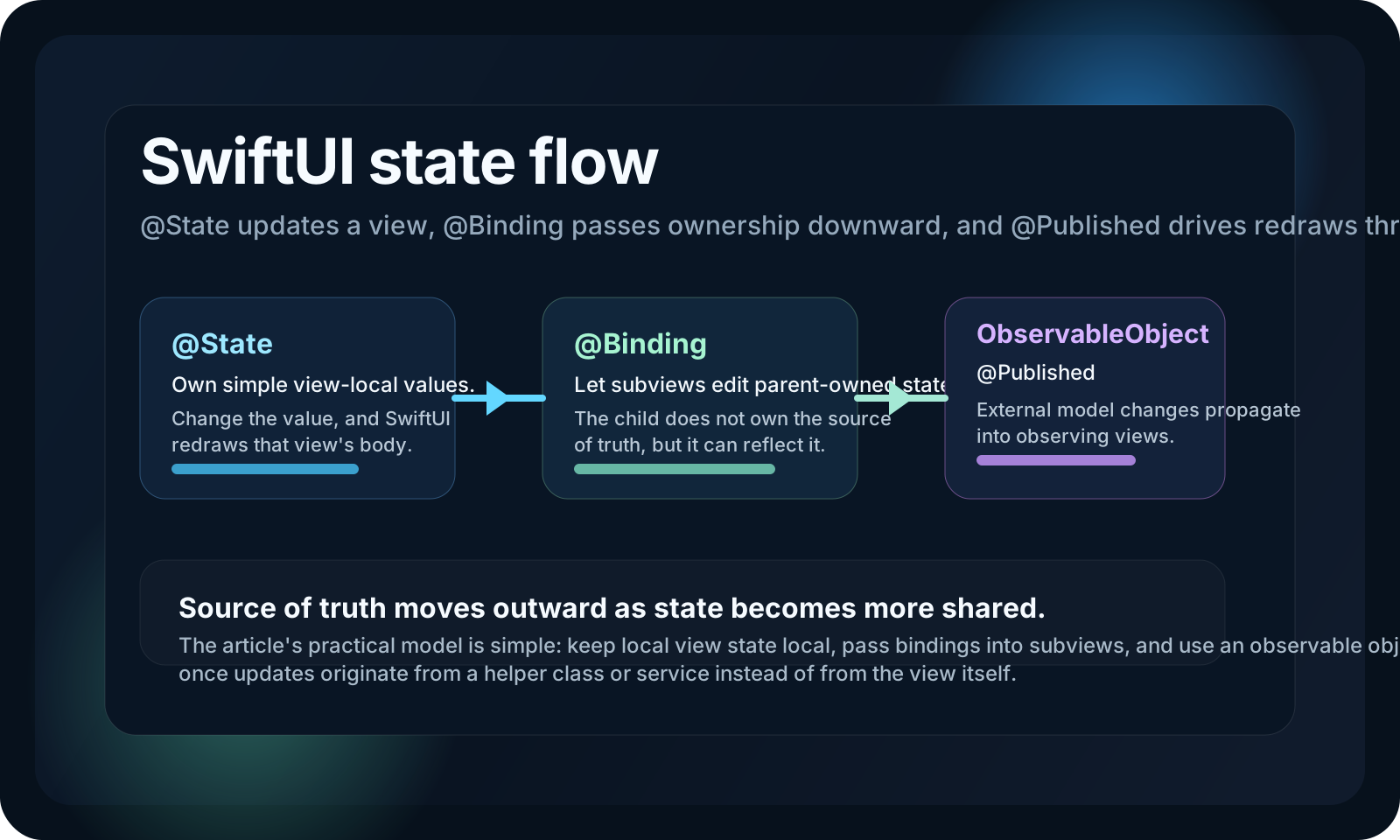
This article frames SwiftUI correctly: you usually do not tell the view to reload manually, you tell SwiftUI which values the view should observe.
That distinction is what makes SwiftUI feel different from older UI systems. The body is reevaluated when observed state changes, so the practical question becomes: where does that state live, and who owns it?
The article walks through three common answers:
@State for view-local values,
@Binding when a subview needs access to state owned elsewhere,
and @ObservedObject plus @Published when updates come from a helper object instead
of from the view itself.
Use @State when the view owns a simple value and changing that value should trigger the view to redraw itself.
This article demonstrates that with a small timed text update. The view starts with a loading string, then changes it after two seconds:
struct ContentView: View {

    @State var textContent = "Loading..."

    var body: some View {

        Text(textContent)
            .padding()
            .onAppear(perform: {
                Timer.scheduledTimer(withTimeInterval: 2, repeats: false) { _ in
                    self.textContent = "Hello world!"
                }
            })

    }

}
The important part is not the timer. It is the ownership model: textContent belongs to the
view, so @State is the right wrapper, and updating it is enough to make the text redraw.
Use @Binding when the source of truth stays in the parent view, but a child view needs to read or react to that value.
The article's second step is splitting the text display into a subview. The parent still owns the state, while the child receives a binding:
struct ContentView_SubView: View {

    @Binding private var textContent: String

    init(textContent: Binding<String>) {
        _textContent = textContent
    }

    var body: some View {

        Text(textContent)
            .padding()

    }

}

struct ContentView: View {

    @State var textContent = "Loading..."

    var body: some View {

        ContentView_SubView(textContent: $textContent)
            .onAppear(perform: {
                Timer.scheduledTimer(withTimeInterval: 2, repeats: false) { _ in
                    self.textContent = "Hello world!"
                }
            })

    }

}
That keeps the ownership story clean. The parent owns the value through @State, and the child
gets a live connection to that value through @Binding rather than creating a disconnected copy.
Once updates come from a helper class or service, the article shifts to ObservableObject with @Published, then observes that object from the view.
The example uses a location helper. The helper owns a location manager, conforms to
ObservableObject, and marks its changing value with @Published:
class LocationManager: NSObject, ObservableObject, CLLocationManagerDelegate {

    @Published var userLocation: CLLocation?

    let locationManager = CLLocationManager()

    init(accuracy: CLLocationAccuracy) {
        super.init()
        self.locationManager.delegate = self
        self.locationManager.desiredAccuracy = accuracy
        self.locationManager.requestAlwaysAuthorization()
        self.locationManager.startUpdatingLocation()
    }

    func locationManager(_ manager: CLLocationManager, didUpdateLocations locations: [CLLocation]) {
        guard let location = locations.last else { return }
        self.userLocation = location
    }

    func locationManager(_ manager: CLLocationManager, didFailWithError error: Error) {
        print(error.localizedDescription)
    }

}
The SwiftUI view then observes that object:
@ObservedObject var location: LocationManager
init() {
    self.location = LocationManager(accuracy: kCLLocationAccuracyNearestTenMeters)
}
The article also shows the view reacting to changes with .onChange:
struct ContentView: View {

    @ObservedObject var location: LocationManager

    init() {
        self.location = LocationManager(accuracy: kCLLocationAccuracyNearestTenMeters)
    }

    var body: some View {

        Form {
            // TODO
        }

        .onChange(of: self.location.userLocation, perform: { value in
            if let receivedUpdate = value {
                self.locationsRecorded.append(locationEntry(timeStamp: receivedUpdate.timestamp, coordinate: receivedUpdate.coordinate))
            }
        })

    }

}
One context note is worth making explicitly: this article started in late 2020, so it is teaching the
right conceptual split for its time. The core redraw model still holds, even though newer SwiftUI code often
reaches for @StateObject in owner views.
The real lesson is not memorizing wrappers. It is choosing the right owner for the data that can change.
If the value belongs only to one view, keep it as @State. If a child needs access but should
not become the owner, pass a @Binding. If the value is produced by an external helper or model,
make that object observable and publish the changing fields.
That ownership model is what determines which parts of the view tree redraw and why. The article stays useful because it teaches that mental model directly instead of describing the wrappers as isolated magic syntax.
This is a beginner-facing article, but it covers one of the most durable SwiftUI ideas: redraws are a consequence of state ownership, not something you imperatively command.
This article is small and practical, and that is its strength. It starts with a local string, moves into a bound subview, then ends with an observable helper object. That progression is still one of the clearest ways to explain why some SwiftUI values are plain properties, while others need property wrappers.