The change is smaller than it looks: the tab bar stays, but the declaration syntax changes.
If you are using a recent Xcode with a SwiftUI tab bar, you may now see a deprecation warning when you attach
.tabItem to a view. The important point is that Apple is not asking you to stop using TabView.
It is asking you to declare each tab with the newer Tab builder API instead.
ContentView().tabItem { ... } to Tab("Title", systemImage: "...") { ContentView() }.
The toolchain warning already tells you the replacement API.
The message surfaced in the article points developers directly at the newer initializer:
use Tab(title:image:value:content:) instead of relying on .tabItem long term.
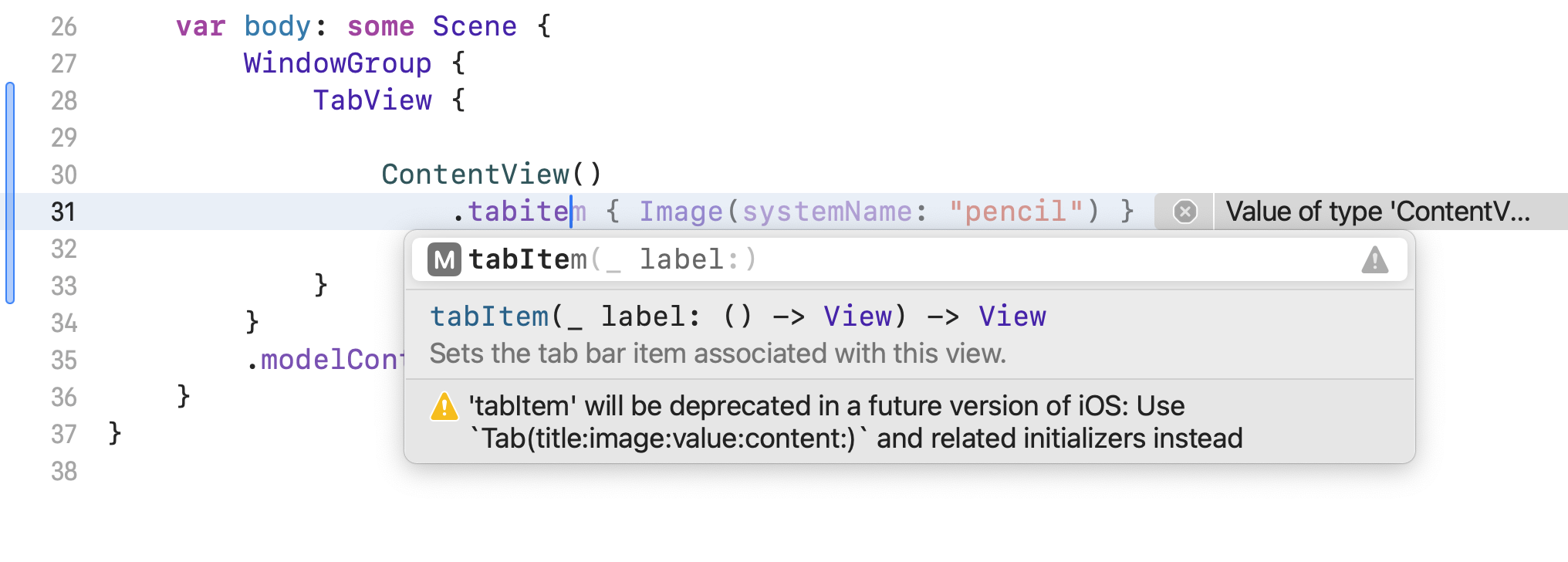
The article also shows Apple's own documentation pointing to the same direction, which makes this a migration worth doing now instead of later.
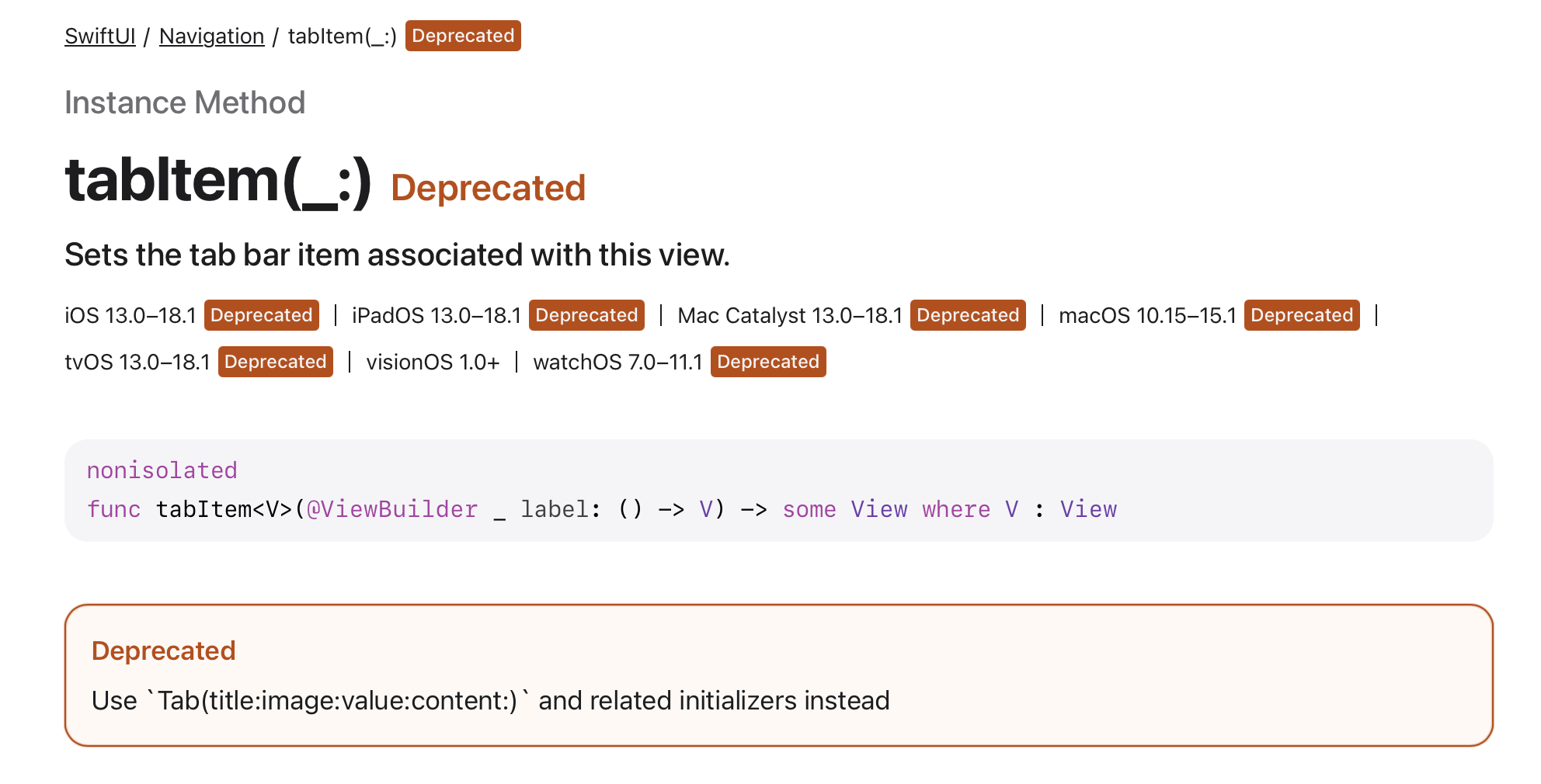
Keep the TabView, but build each tab with Tab(...).
The simplest migration is to stop attaching the tab metadata as a modifier and instead wrap the content directly in a Tab.
That makes the title and system image part of the tab declaration itself.
TabView {
    Tab("Calendar", systemImage: "calendar") {
        ContentView()
    }
}
Conceptually, this is the same screen structure you already had. The only real change is where the tab label metadata lives.
The newer API also fits cleanly with typed selection state and per-tab badges.
Once you move to the new form, you can keep a typed enum for selection, pass that through the
value parameter, and attach numeric or text badges directly to each tab.
enum TabSelection: Hashable {
    case calendar
    case list
}

@State private var currentTab: TabSelection = .calendar

TabView(selection: $currentTab) {
    Tab("Calendar", systemImage: "calendar", value: .calendar) {
        ContentView()
    }
    .badge(2)

    Tab("All", systemImage: "list.bullet", value: .list) {
        ListView()
    }
    .badge("!")
}
That is the main ergonomic upside of the newer declaration style: selection and badge behavior read as part of the tab model instead of being bolted onto child views.
This migration is mostly a syntax update, but it is worth making now.
If your codebase still uses .tabItem, the new Tab API is the direct replacement to move toward.
The tab bar pattern stays the same, the change is easy to apply, and you end up on the API Apple is clearly steering SwiftUI toward.
For small apps, this can be a quick cleanup. For larger codebases, it is a low-risk migration you can do incrementally as you touch each TabView.