This keynote was broad, but the two real themes were platform polish and Apple's first big AI push.
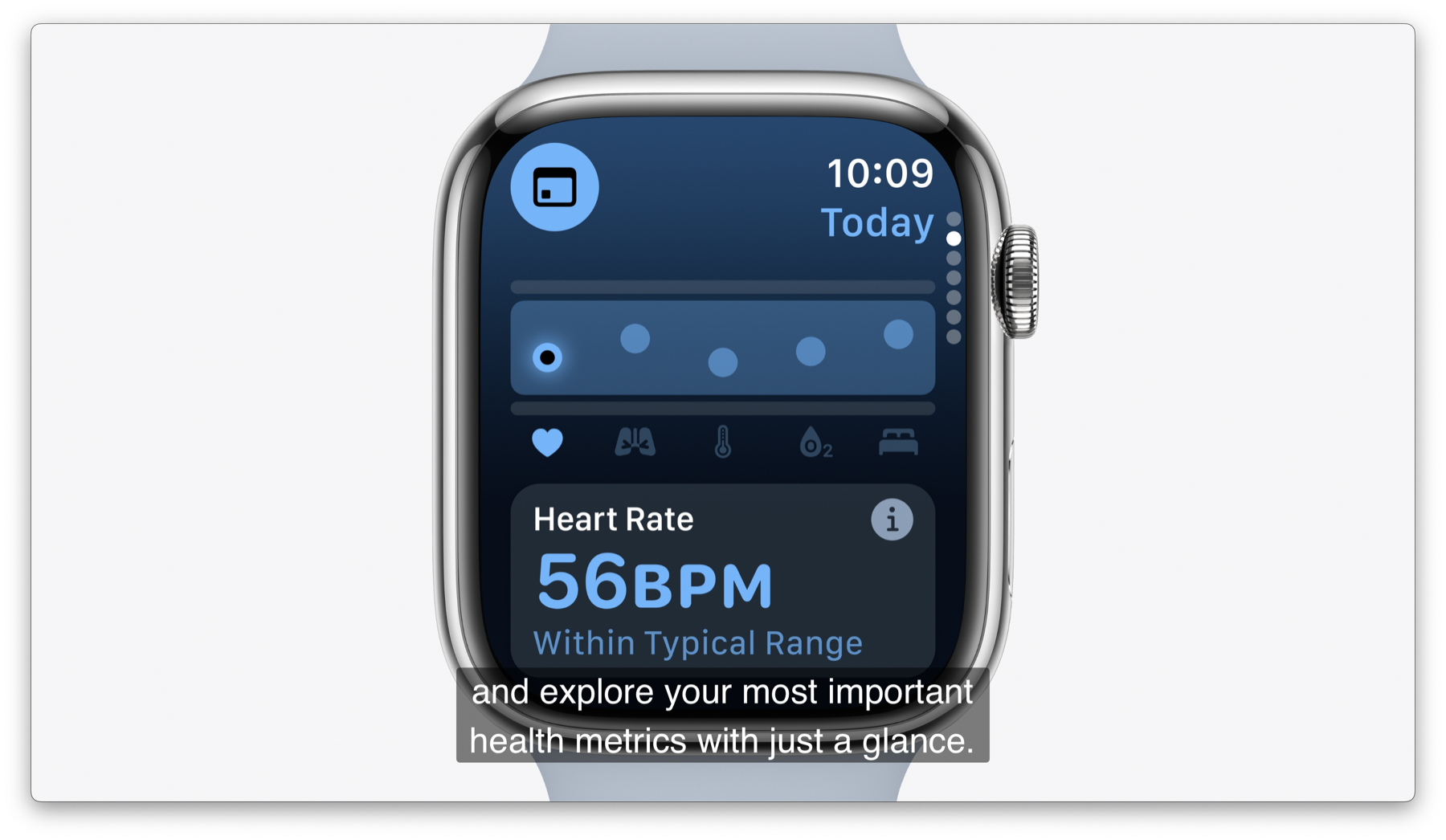
WWDC 2024 had the usual platform sweep, but it felt split into two layers. One layer was practical system work: better room organization on Vision Pro, more iPhone customization, a real Calculator for iPad, iPhone Mirroring on Mac, and smarter workout and health summaries on Apple Watch.
The second layer was Apple Intelligence. Apple positioned it as a privacy-oriented system feature rather than a standalone chatbot, tying it to writing tools, summarization, Siri, app actions, and personal context taken from the user's device.
visionOS 2 was about making Vision Pro feel more social, more spatial, and more useful for serious work.
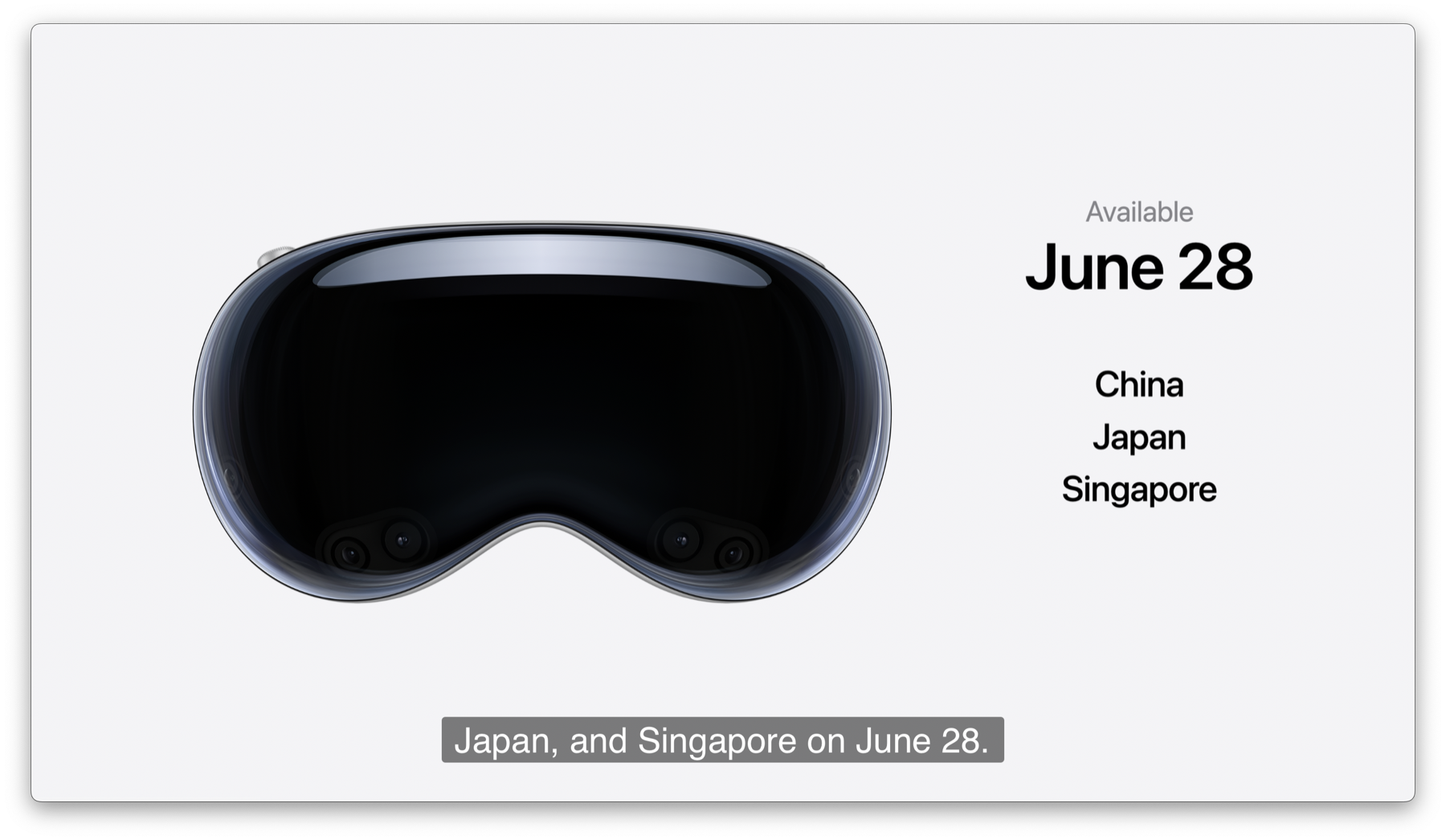
Apple opened the Vision Pro section with rollout news: the headset would launch in Japan on June 28, 2024, with preorders starting June 14, 2024. The software story focused on improving what users could already do with photos, shared experiences, and large virtual displays.
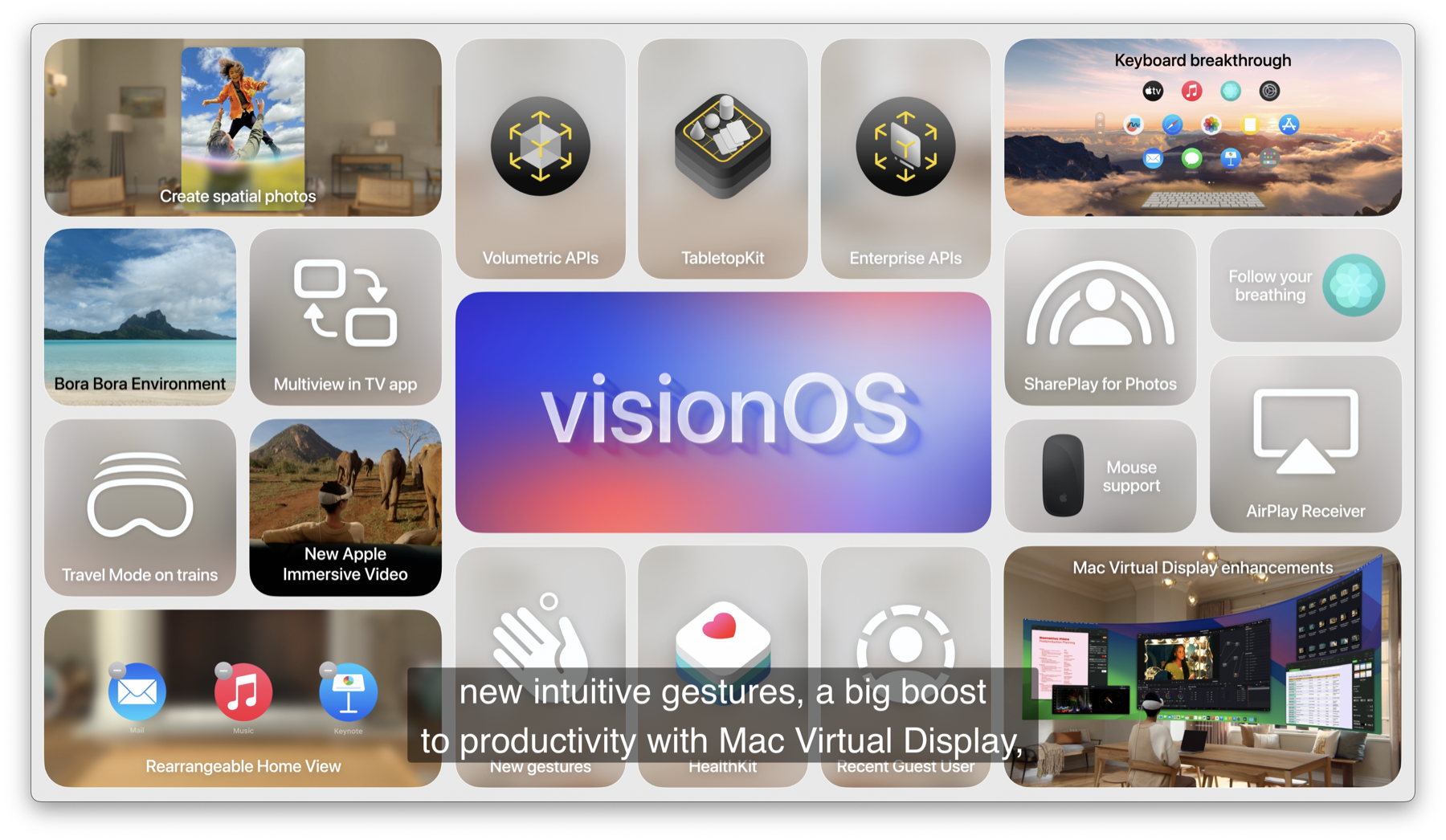
Two user-facing ideas stood out. First, ordinary 2D photos could be transformed into spatial photos. Second, Apple added more ways to share experiences, including SharePlay while viewing photo content. Alongside that came UI and platform refinements such as a gesture for checking the time or returning home, plus wider display support.
For developers, the more consequential pieces were the new frameworks and enterprise hooks. Apple introduced TabletopKit and an
Enterprise API, with the latter exposing capabilities such as main camera access, passthrough capture, barcode and QR reading,
neural engine use, object-tracking tuning, and a higher-performance ceiling for enterprise apps.
iOS 18 pushed customization, privacy, and communication tools much harder than recent releases.
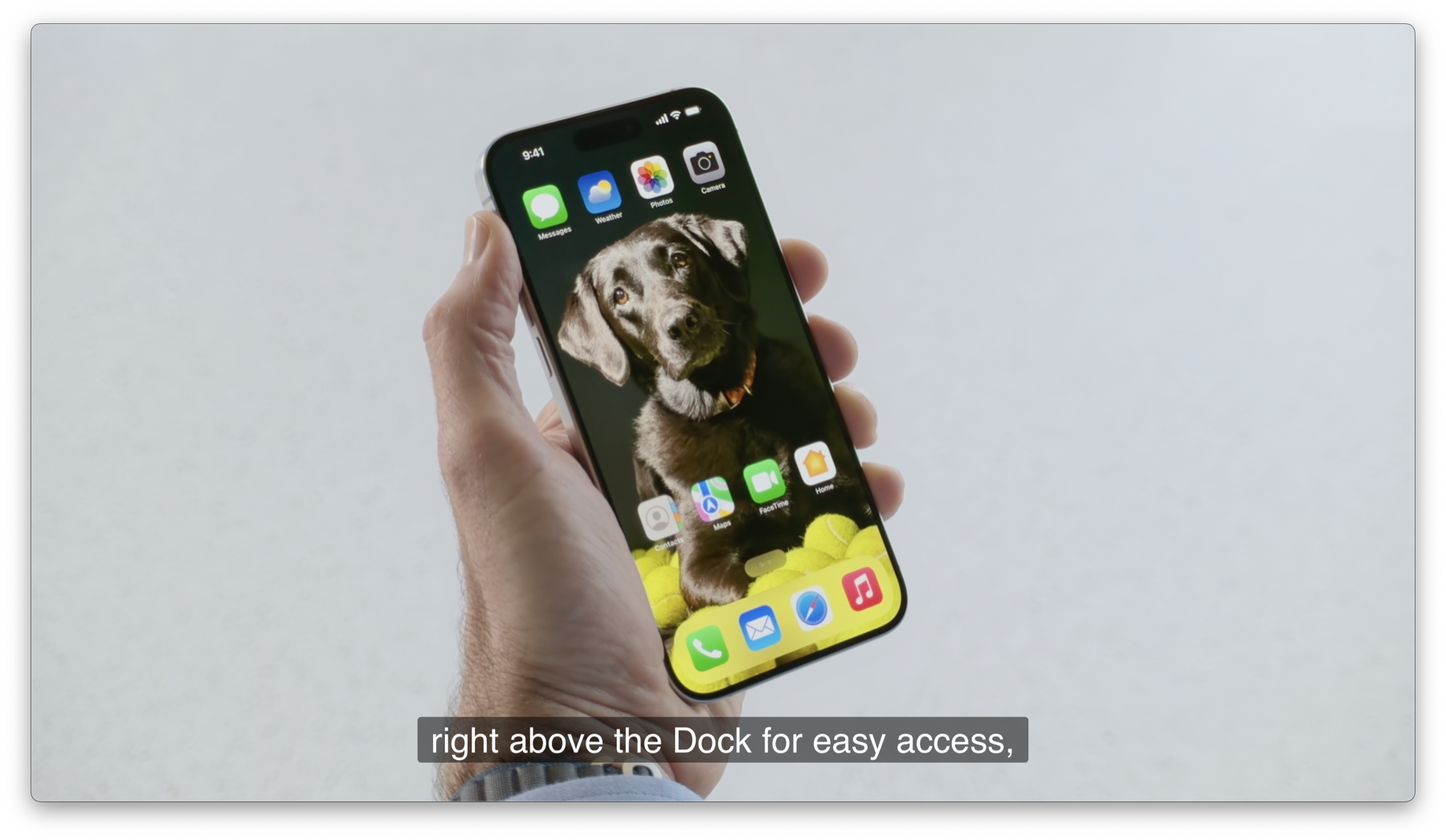
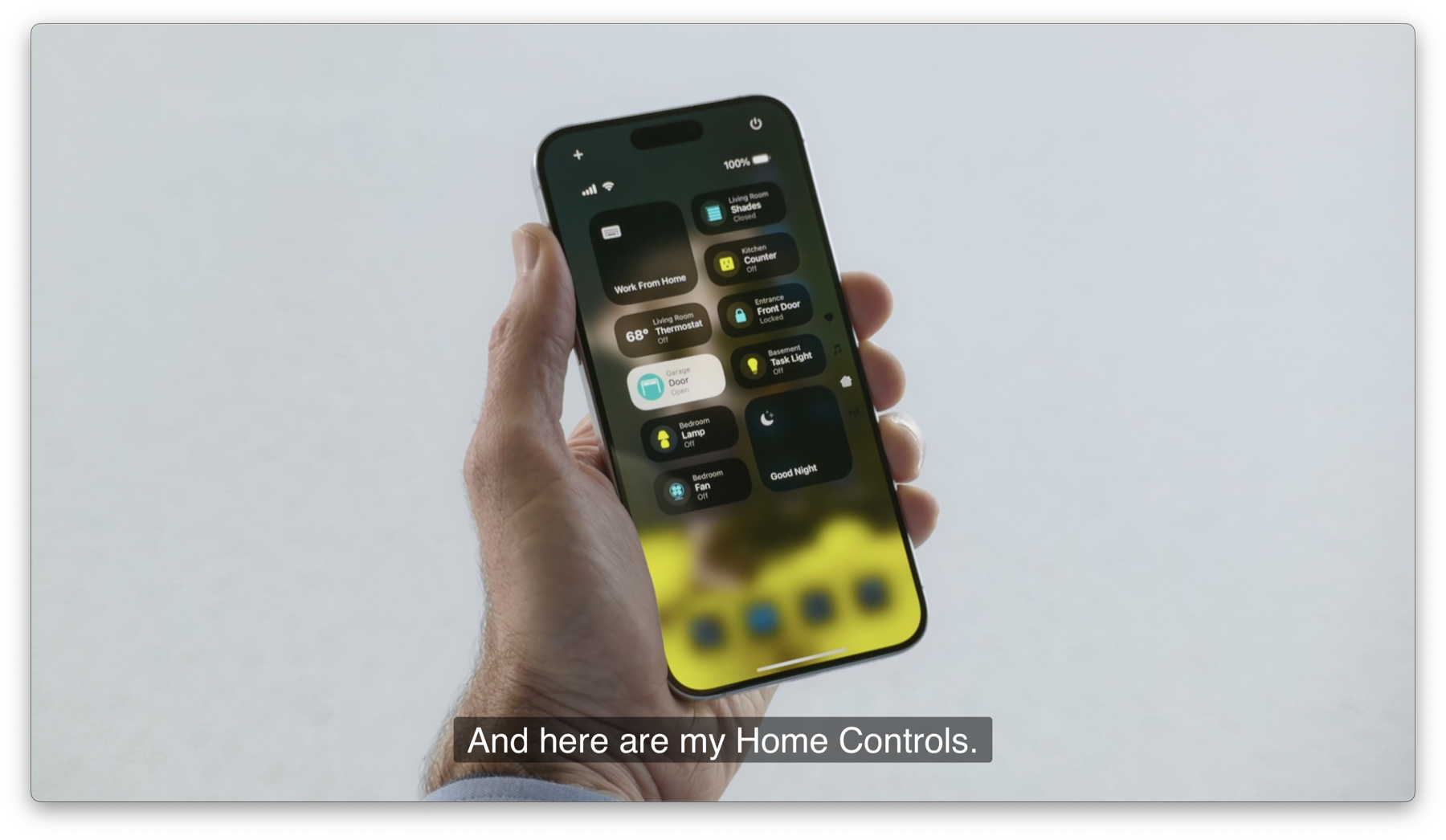
The most visible change was simple: users could place app icons more freely and tint them to change the overall look of the Home Screen. Control Center also became more modular, with multiple pages, third-party controls through the new Controls API, and the ability to place controls on the Lock Screen.
Apple also spent real keynote time on privacy. Apps could now be locked or hidden, hidden apps moved into a protected App Library area, and users could share only selected contacts with an app instead of exposing the whole address book. The accessory-pairing flow was also improved so developers could avoid forcing a broad local-network permission prompt in generic cases.
Messaging and everyday utilities picked up a long list of quality-of-life changes: scheduled iMessage sends, richer tapbacks, text formatting, iMessage via satellite, on-device Mail categorization, hiking maps in the United States, Tap to Cash in Wallet, a redesigned Photos app, Game Mode on iPhone, and a new standalone Passwords app.
Apple Watch focused less on flashy UI and more on useful interpretation of health and workout data.
The keynote highlighted training load, which tries to measure workout strain and recovery using signals such as age and heart rate. Apple also added the Vitals app, giving users a more consolidated view of health-state indicators rather than treating each metric as an isolated chart.
On the interaction side, Smart Stack became more context aware, automatically surfacing widgets when they made sense, and developers gained access to the double-tap gesture API. The iPhone Fitness summary also became more customizable, which helped position Apple Watch data as something easier to review after the workout itself.
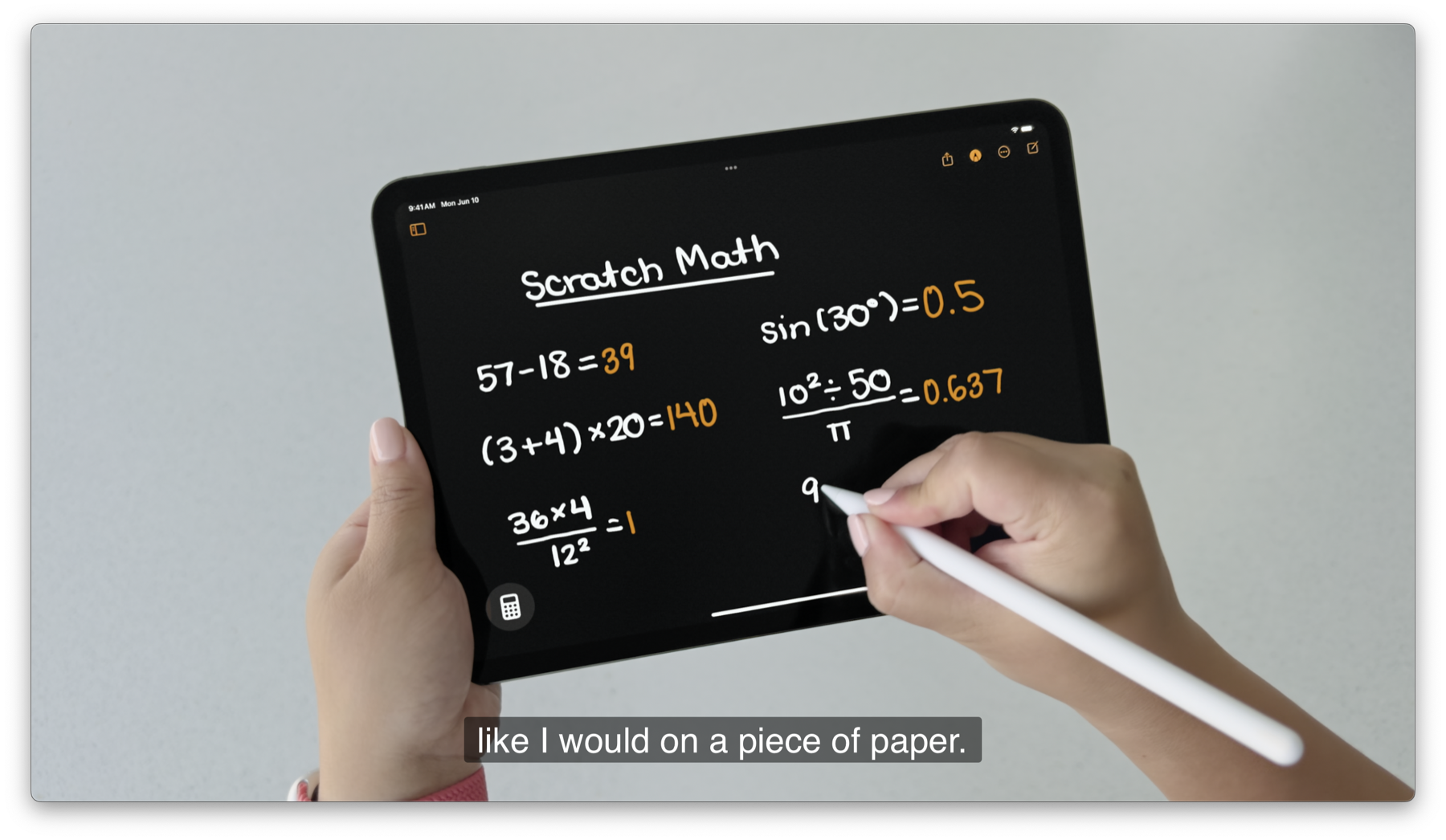
iPadOS 18 leaned into flexibility: better navigation, better handwriting, and finally a native Calculator.
Apple redesigned the app chrome with a floating tab bar that could expand into a sidebar, and items could be dragged from the sidebar back into the floating strip. That sounds small, but it mattered because it showed Apple trying to make large iPad apps feel less rigid and less trapped in iPhone-style navigation.
The headline feature for many users was simply Calculator on iPad. The more interesting part was Math Notes, where handwritten expressions could resolve into answers, graph automatically, and track variable-based calculations. Notes also gained Smart Script, using local machine learning to smooth and improve handwriting.
Apple also showed a more guided SharePlay screen-sharing flow, where one person could tap or draw on another user's shared screen to point at specific steps.
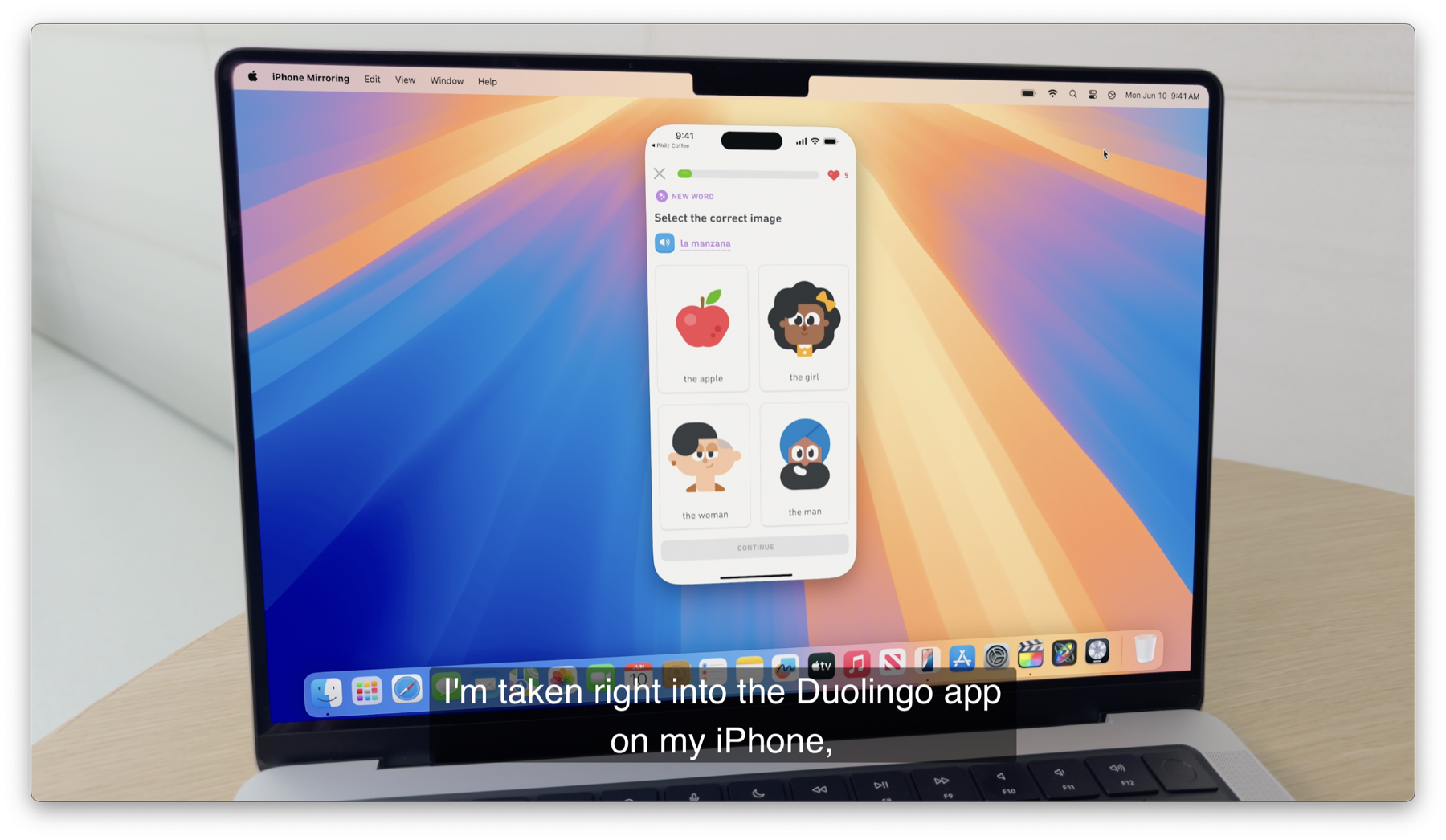
macOS Sequoia centered on continuity, window management, and a more assistive Safari.
The showpiece feature was iPhone Mirroring. Apple demonstrated controlling an iPhone directly from the Mac, receiving iPhone notifications on the desktop, and moving files between devices more fluidly. This pushed continuity past handoff-style metadata and closer to actual remote device presence.
Sequoia also added easier window tiling, presenter-preview tools for screen sharing, and system support for video background replacement. Safari gained machine-learning assisted highlights, summarized articles, and auto-generated tables of contents for longer pages.
On the games side, Apple used the keynote to push Game Porting Toolkit 2, aiming to lower the friction for bringing Windows games to the Mac and then carrying that work forward to iPhone and iPad.
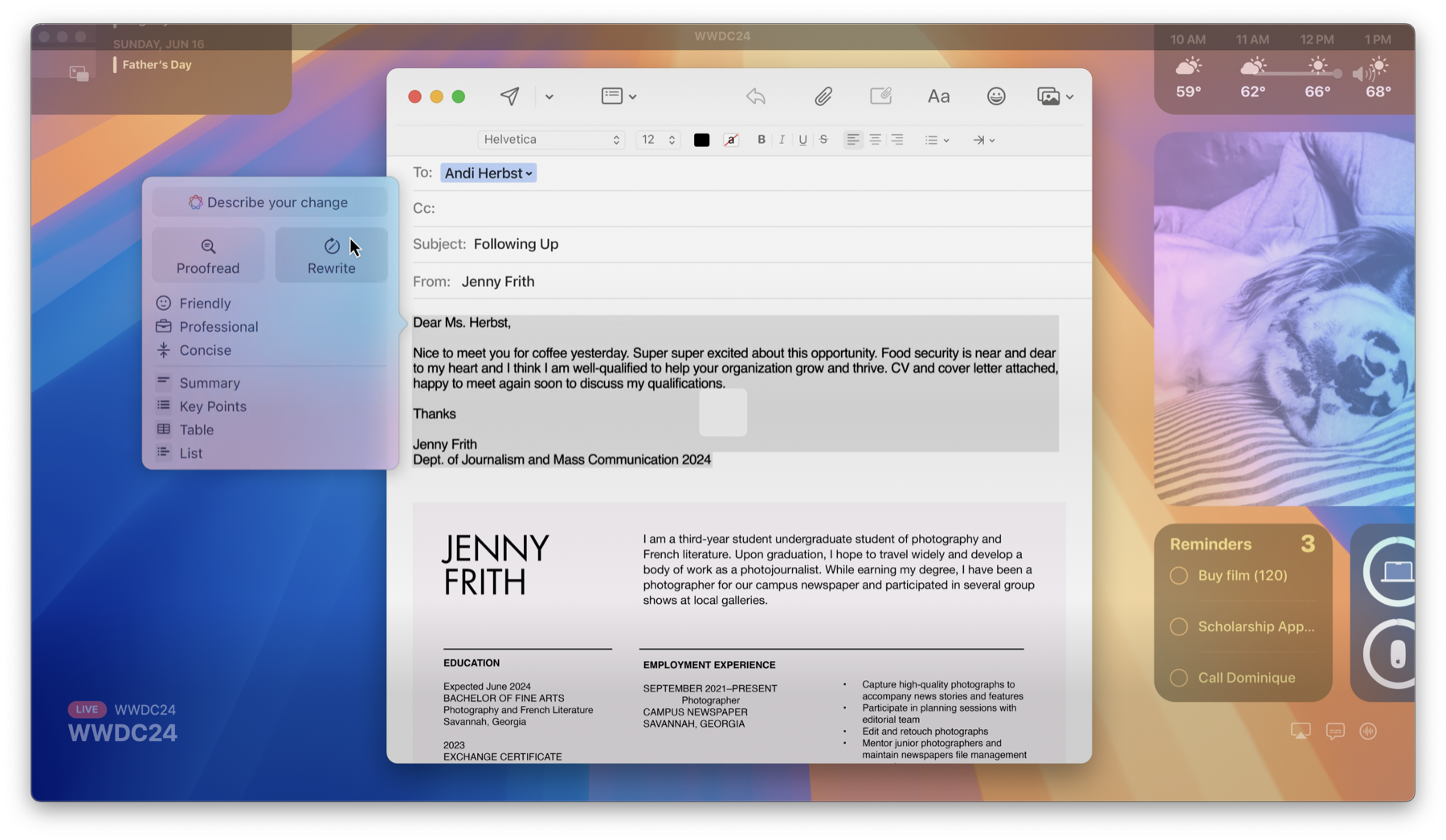
Apple presented AI as a system layer that rewrites, summarizes, searches personal context, and acts across apps.
Apple Intelligence was framed less as a single assistant and more as a collection of device-aware capabilities. The keynote showed priority notifications, writing tools for rewriting or changing tone, image generation from sketches or personal-photo context, and summaries for calls, emails, and selected text.
The Siri portion was even more ambitious. Apple showed a redesigned Siri interface that wrapped around the screen, stronger conversational context between requests, the ability to type to Siri from the bottom of the Lock Screen, and product-knowledge help for Apple devices. It also positioned Siri as something that could act on content currently on screen, search messages and mail for relevant facts, and complete actions through apps.
Privacy was the core argument. Apple split the system into on-device processing, an on-device semantic index, and Private Cloud Compute for requests too large to run locally. The keynote also showed ChatGPT integration, while keeping Apple Intelligence itself framed as part of the operating system rather than a separate AI destination.
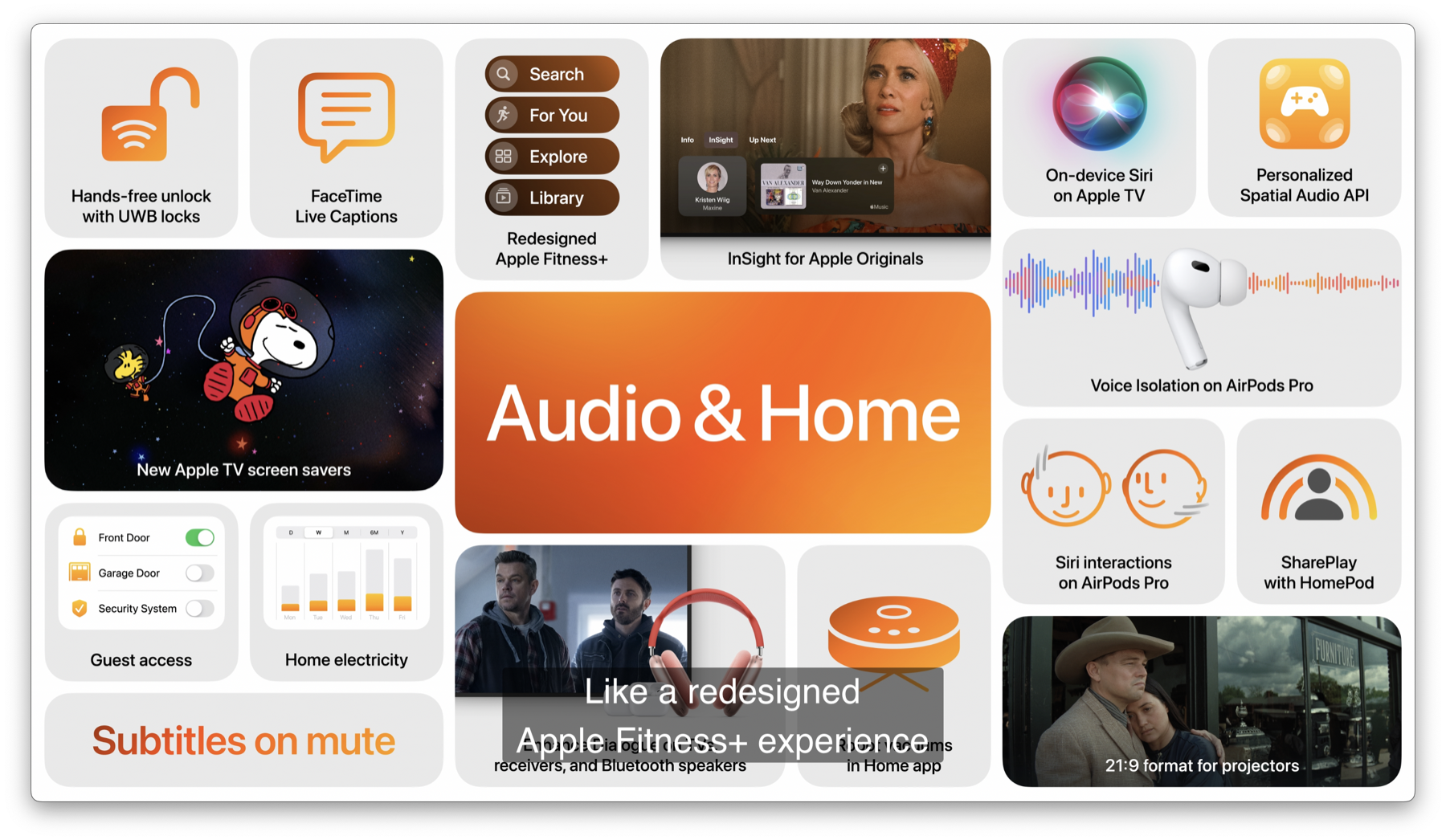
The smaller updates still mattered: AirPods gestures, better subtitles, and more ambient home presentation.
Apple added head gestures for AirPods, letting users nod to accept a call or shake their head to decline it. It also expanded personalized spatial audio APIs for games and showed new flows for adding music from a TV show directly into a personal library.
The home and media side was a quieter part of the keynote, but it still included improved subtitles and new portrait-style screen savers and wallpapers tied to Apple TV and Apple TV+ content. These were not platform-defining features, but they fit the overall keynote pattern of smoothing everyday interactions across the ecosystem.
WWDC 2024 was not only about AI. It was also about tightening the practical seams between Apple's devices.
The keynote will probably be remembered for Apple Intelligence, but the foundation mattered just as much: Vision Pro gained more credible platform depth, iPhone customization became less locked down, iPad finally picked up some overdue utility features, and the Mac leaned harder into iPhone continuity.
The keynote itself was broad, so this summary trims it down to the platform ideas that still define how the June 10, 2024 event is remembered.