SharePlay is easier to understand once you separate the shared app data from the media or activity itself.
This article explains SharePlay from both sides. For users, it lets FaceTime participants do something together. For developers, it is a framework for synchronizing state and sending data between participants in the same group session.
That distinction matters. In a movie example, the video stream still comes from each participant's own device, while SharePlay handles the shared timing and coordination layer.
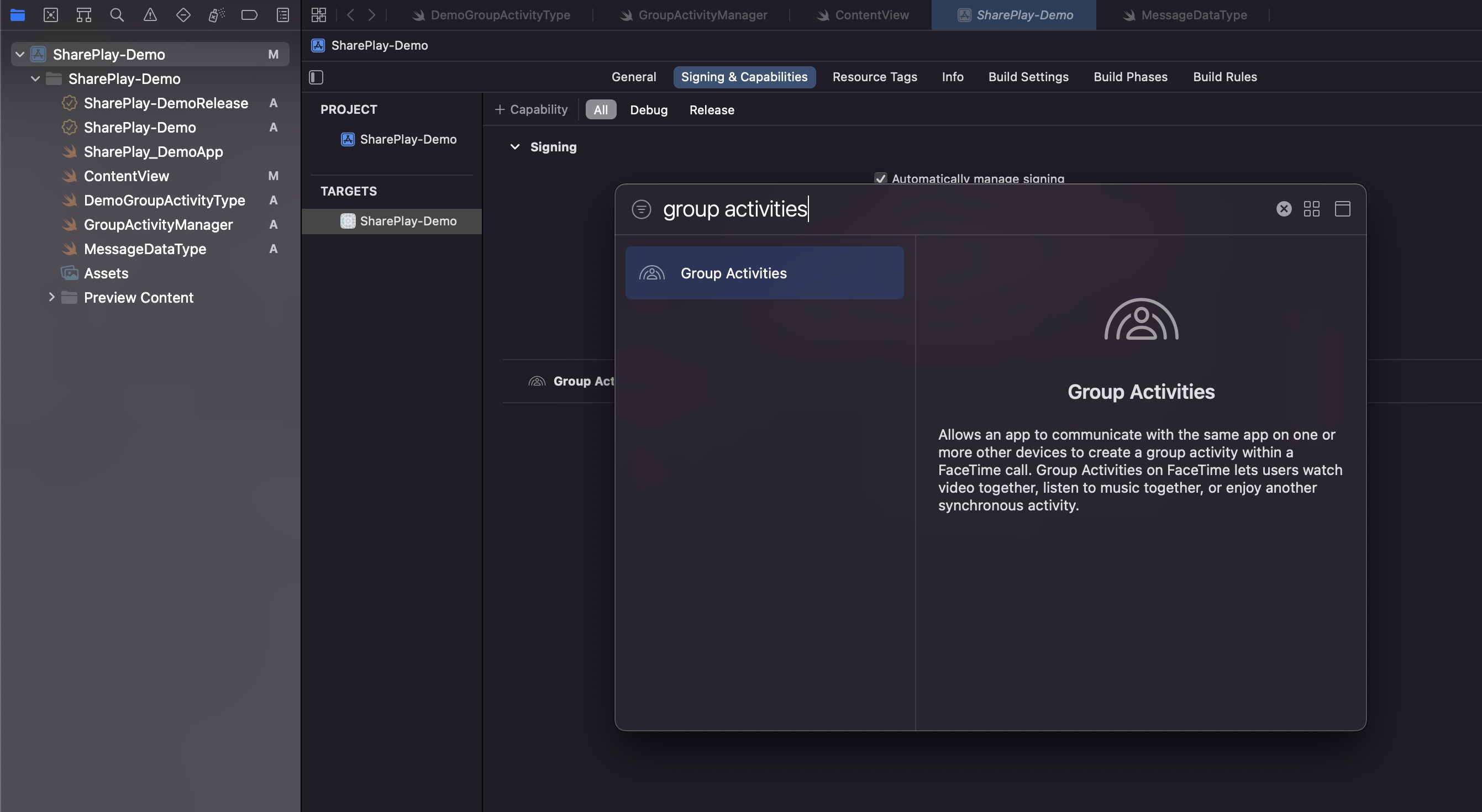
The first real setup step is enabling the Group Activities capability in the target.
This article uses Xcode's Signing & Capabilities tab and adds
Group Activities to the entitlement file before any code work starts.
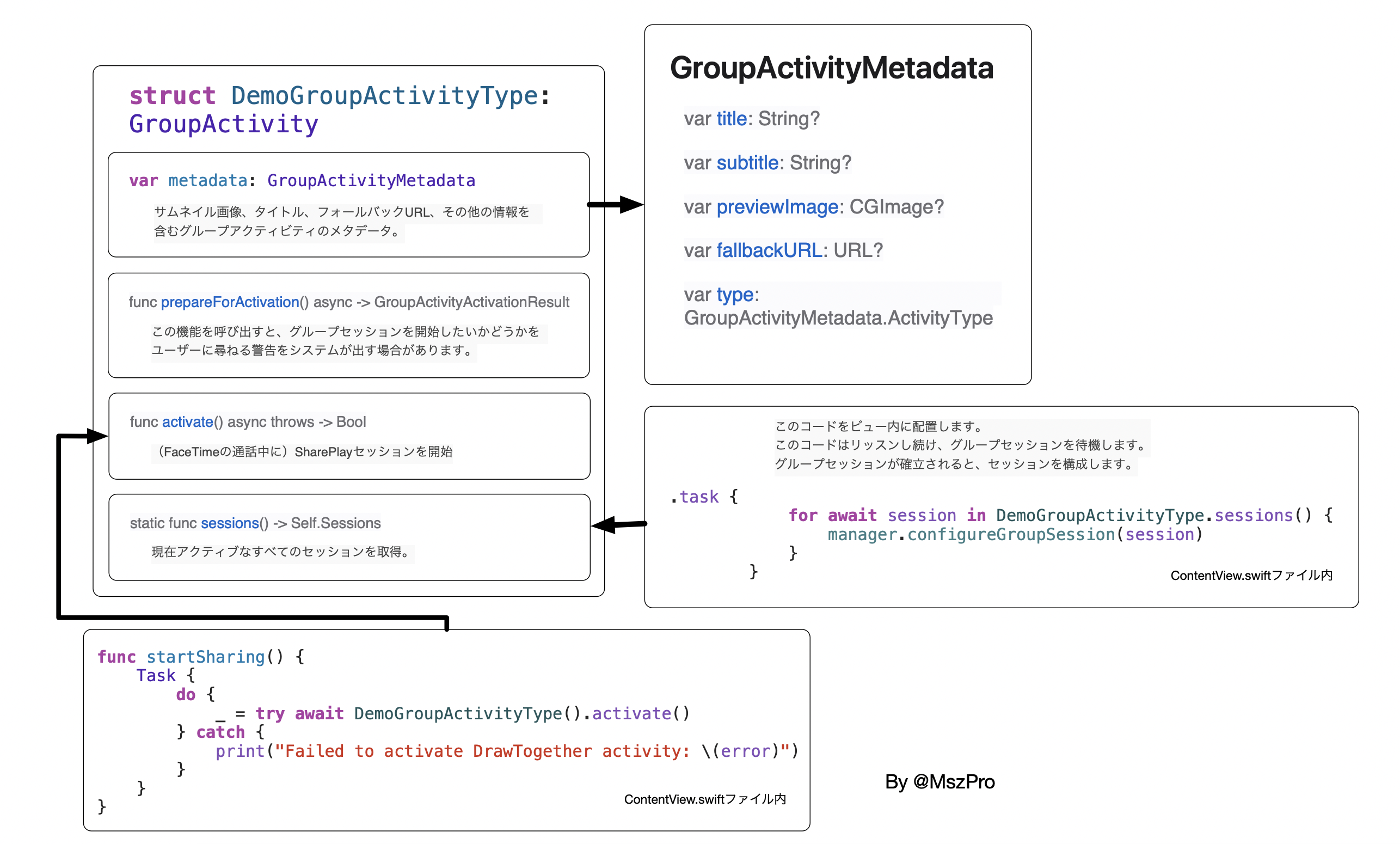
The minimal SharePlay model in the article has two custom types: one codable message payload and one GroupActivity declaration.
The shared payload is intentionally small. The article uses a single UUID as the transferable message:
struct DemoMessage: Codable {
    let id: UUID
}
Then it defines the activity itself by conforming to GroupActivity and supplying metadata
that FaceTime can display to participants:
import Foundation
import GroupActivities

struct DemoGroupActivityType: GroupActivity {
    var metadata: GroupActivityMetadata {
        var metadata = GroupActivityMetadata()
        metadata.title = "Demo Activity"
        metadata.type = .generic
        metadata.fallbackURL = URL(string: "https://example.com")
        return metadata
    }
}
One detail the source calls out explicitly: the fallback URL should point to a web page that can help the recipient install or open the app if needed.
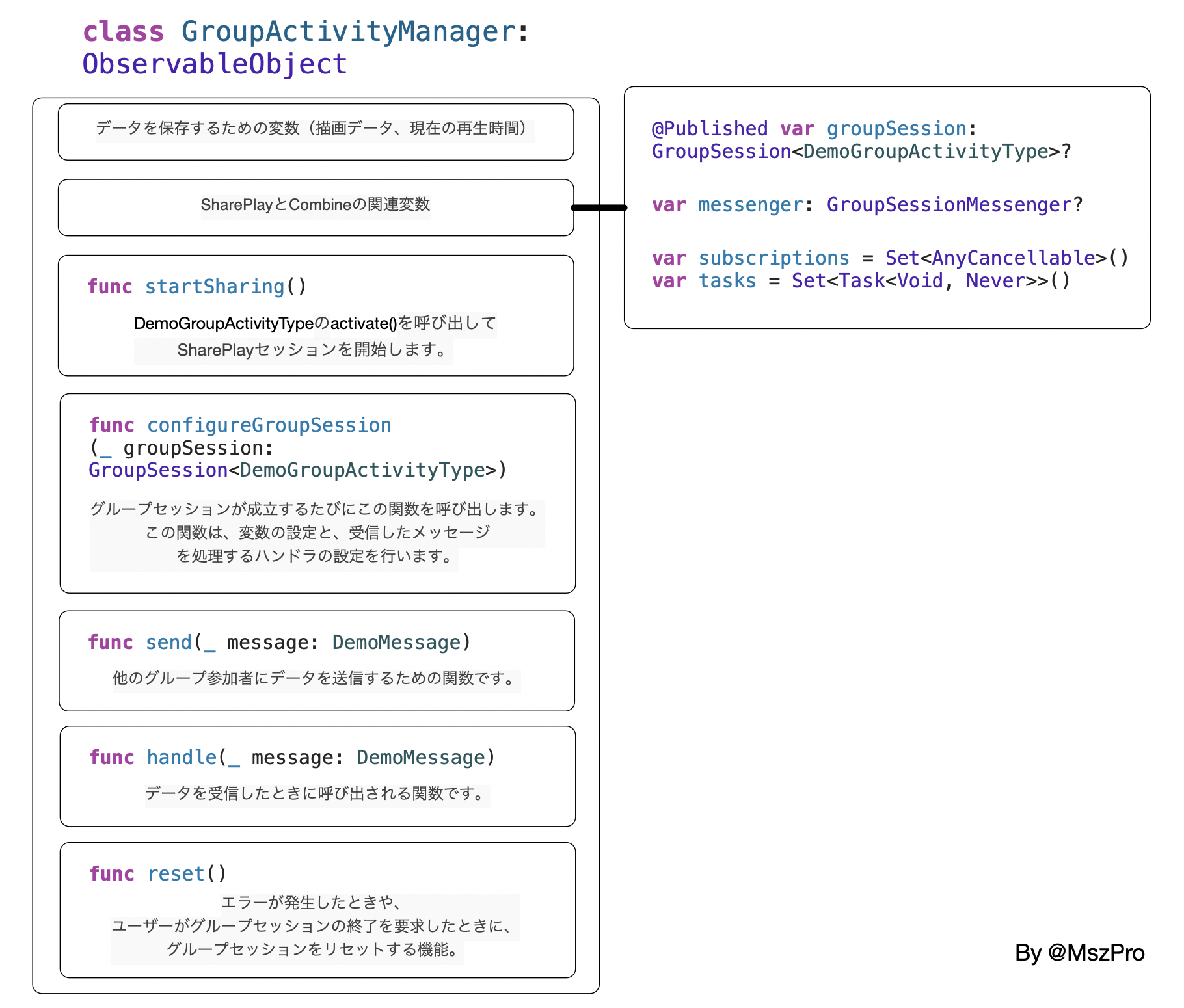
The article puts the runtime session state into a dedicated manager object so the app has one place to host, observe, send, and receive.
The manager in the sample is a @MainActor observable object that stores the current session,
the messenger, Combine subscriptions, and async tasks for inbound message handling:
@MainActor
class GroupActivityManager: ObservableObject {

    @Published var groupSession: GroupSession<DemoGroupActivityType>?
    var messenger: GroupSessionMessenger?

    var subscriptions = Set<AnyCancellable>()
    var tasks = Set<Task<Void, Never>>()
}
The article explains those responsibilities clearly: groupSession tracks lifecycle and
participants, messenger handles transport, subscriptions watches state changes,
and tasks keeps inbound message loops alive.
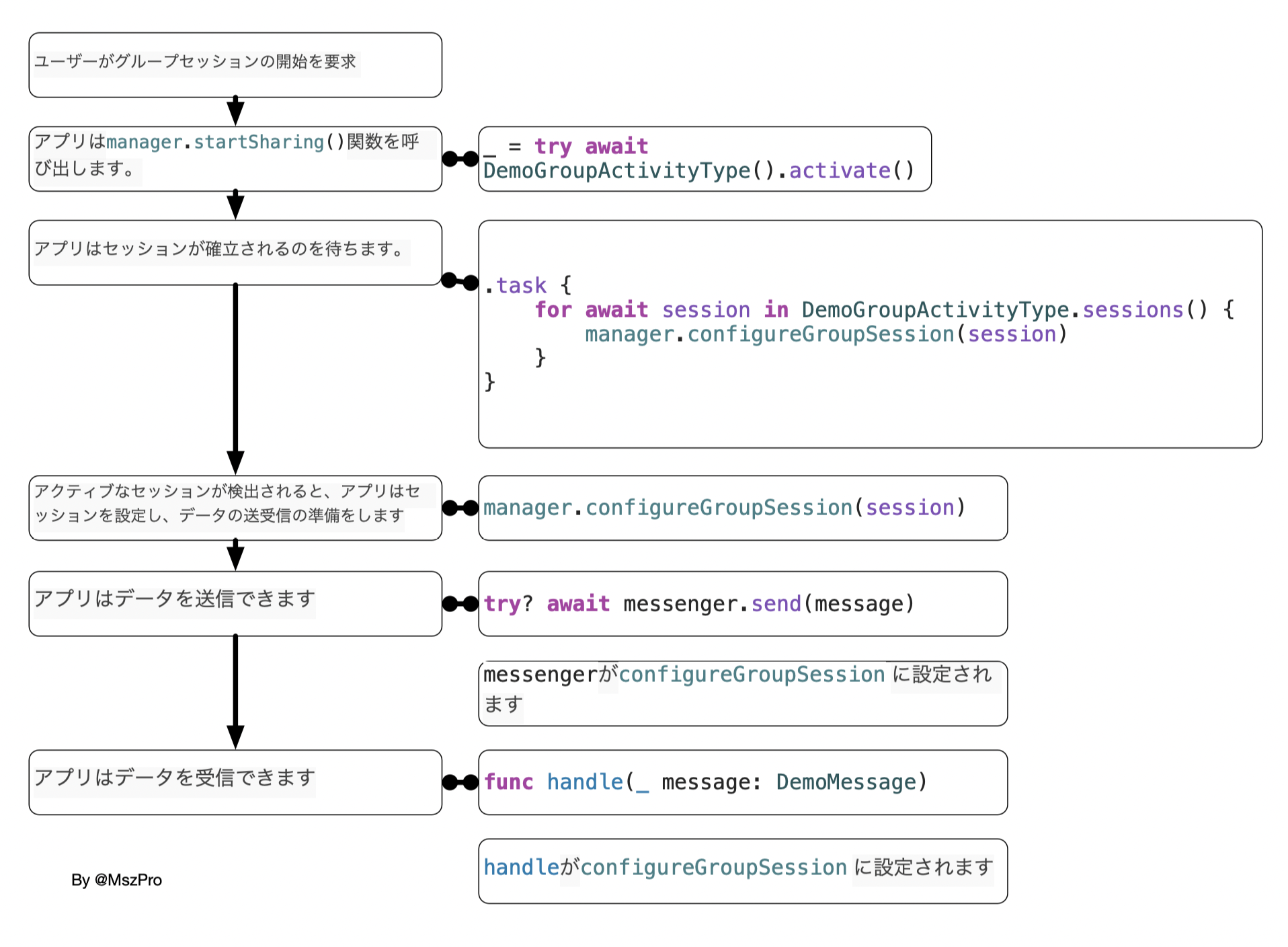
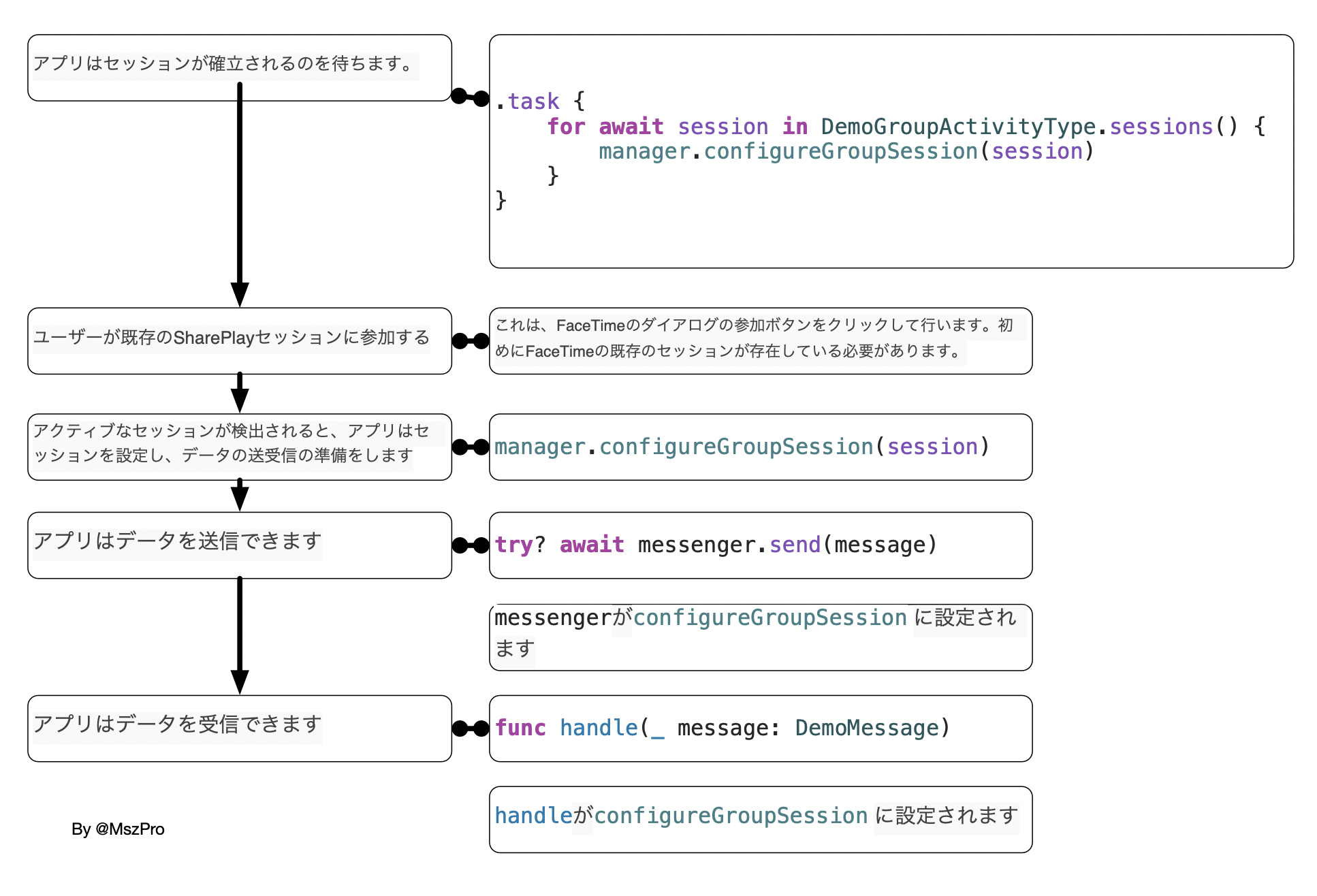
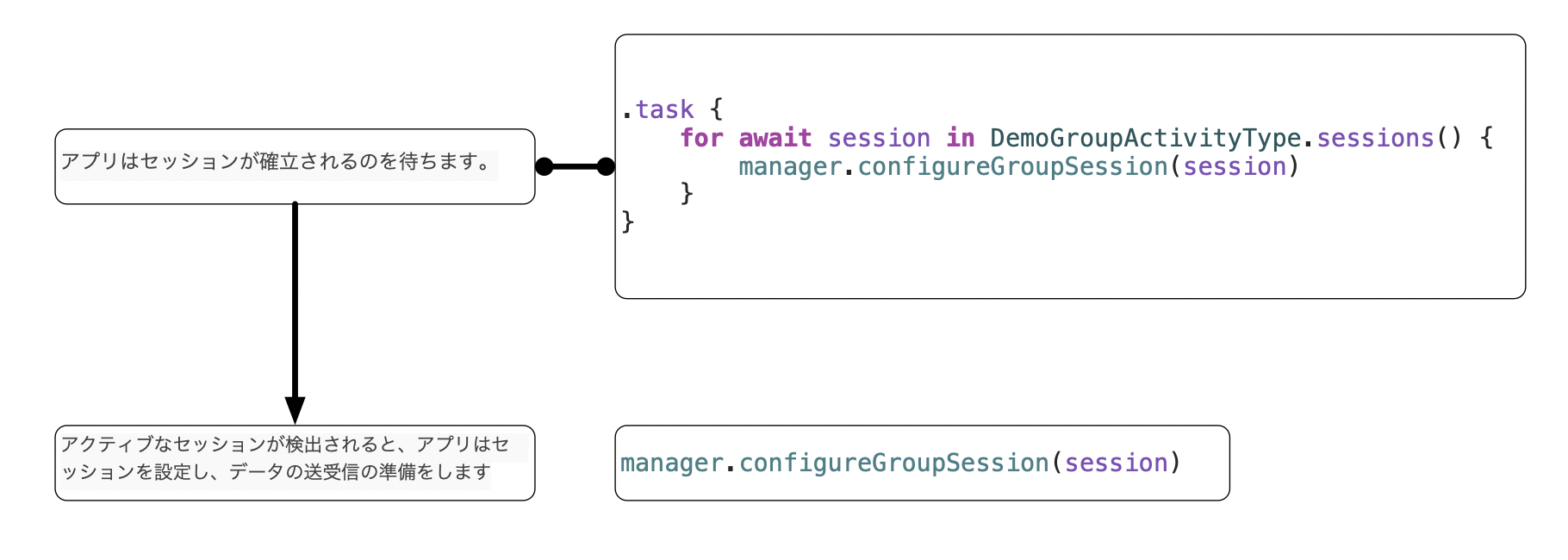
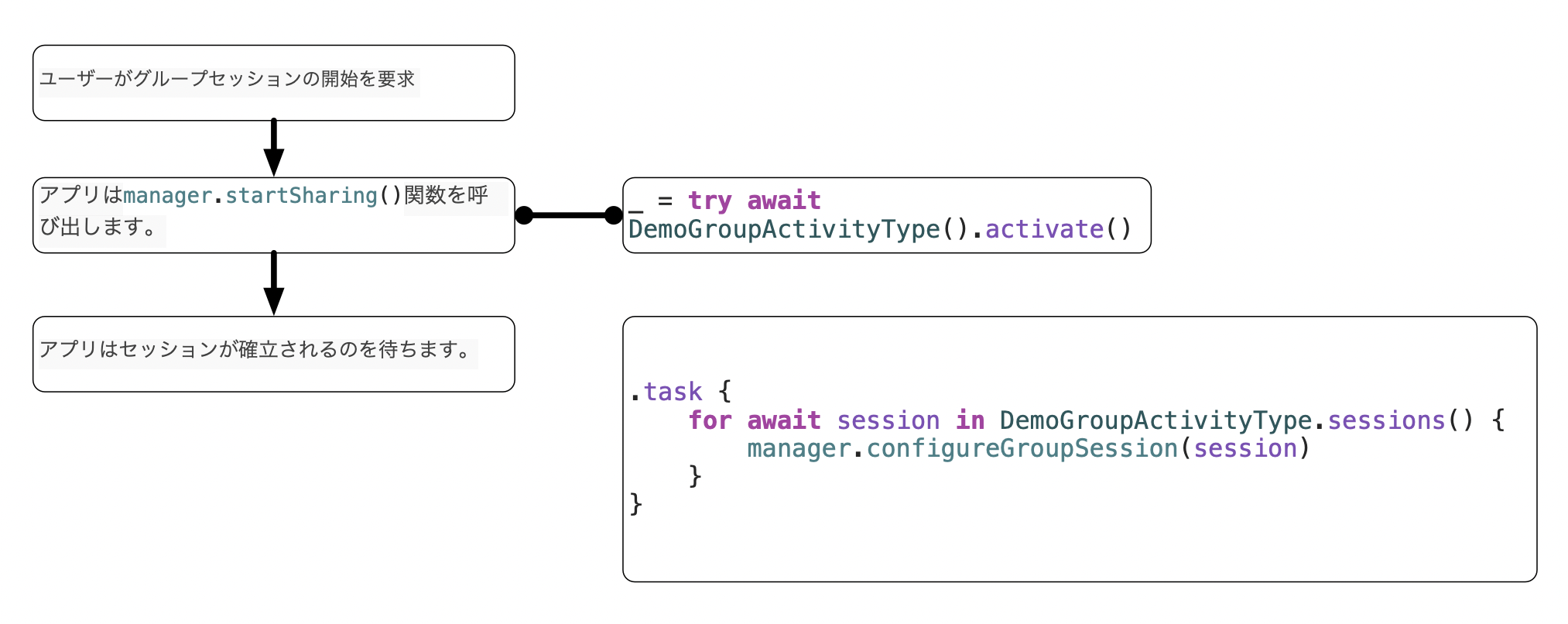
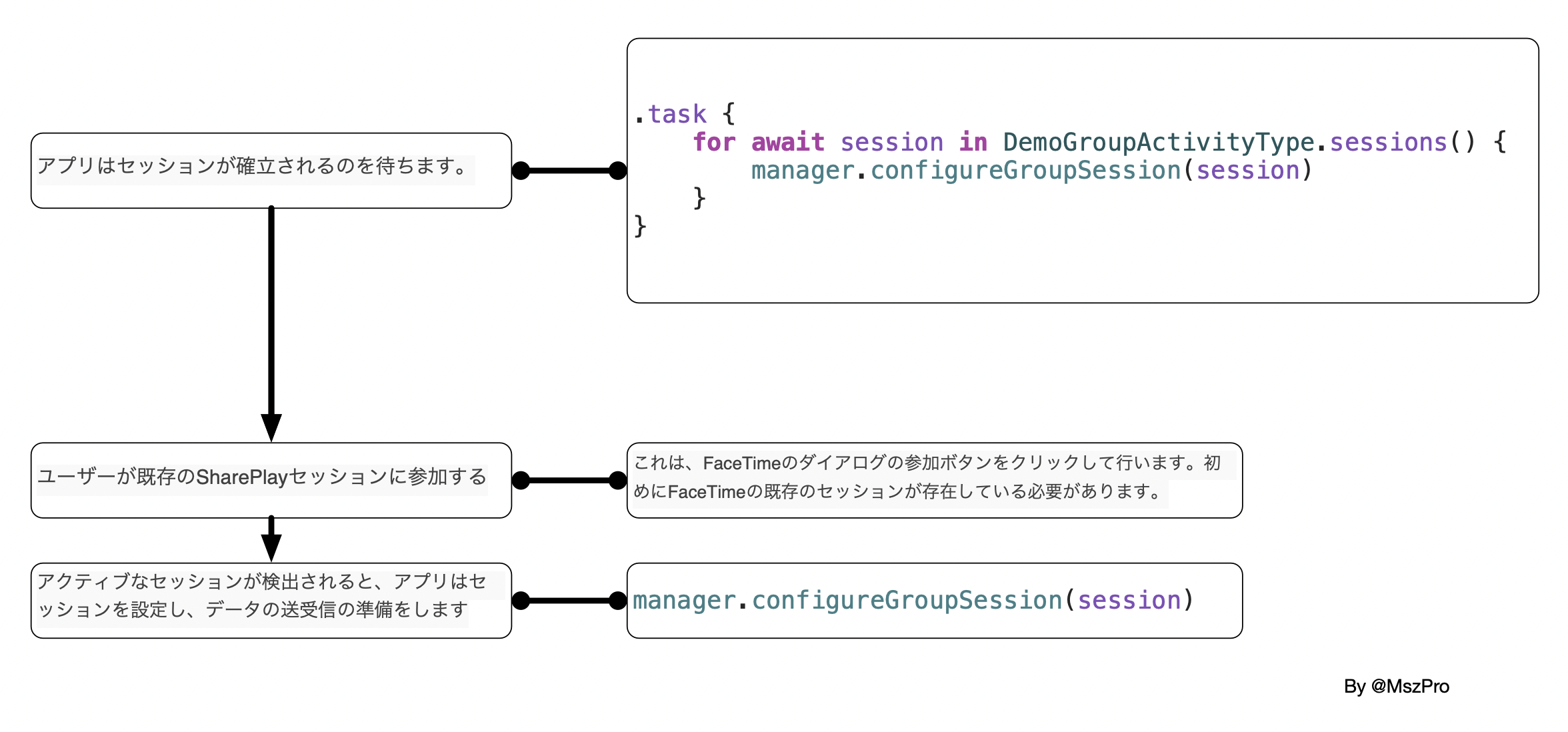
The most important runtime pattern is to watch DemoGroupActivityType.sessions(), then fully configure every session object that appears.
In the SwiftUI sample, the view creates the manager once and starts an async loop from a task modifier:
struct ContentView: View {

    @StateObject var manager = GroupActivityManager()

    var body: some View {
        VStack {
            Text("Hello world!")
        }
        .task {
            for await session in DemoGroupActivityType.sessions() {
                manager.configureGroupSession(session)
            }
        }
    }
}
The article notes that this example is written for SwiftUI, but the same await-based session-watching logic can be applied from UIKit as well.
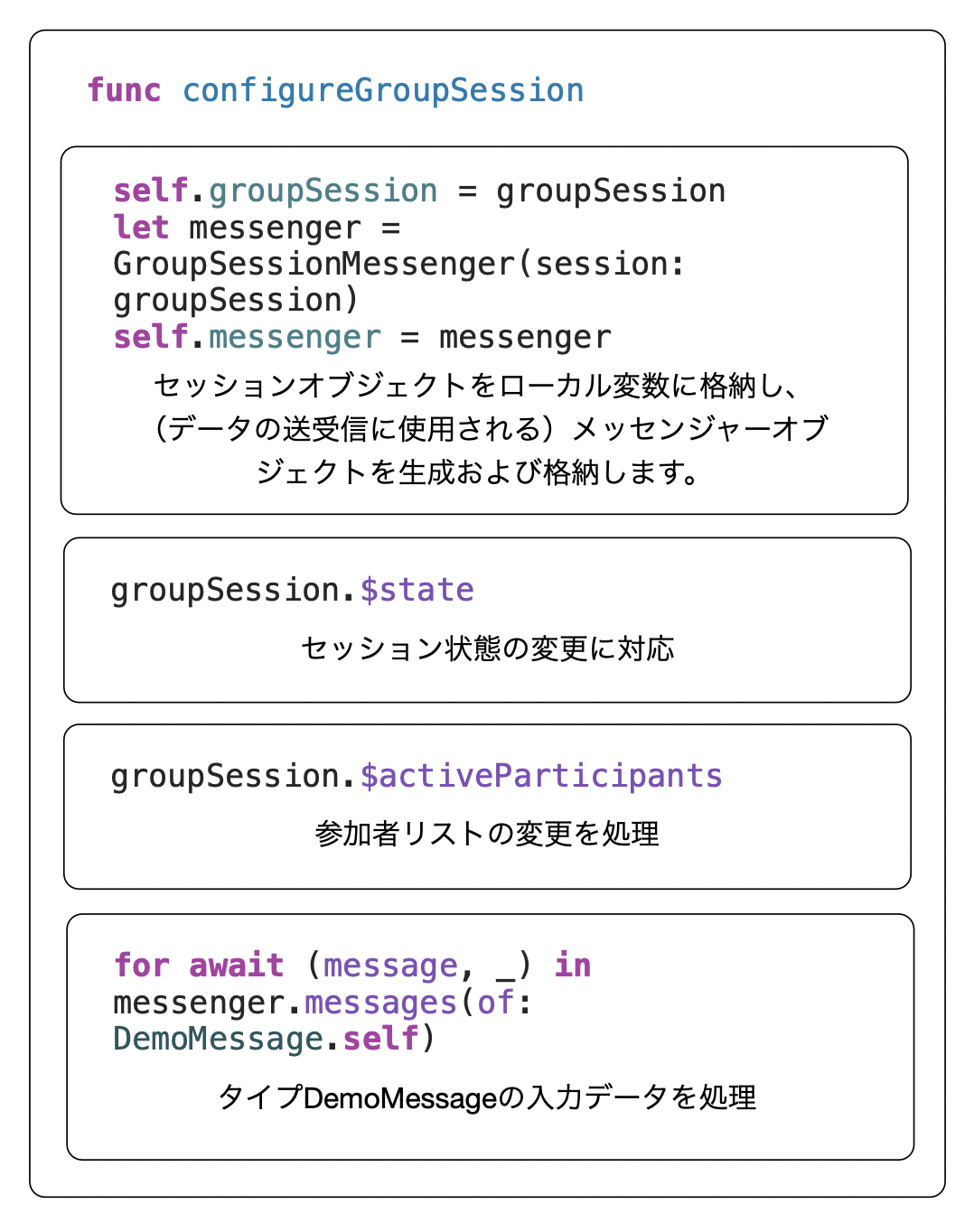
The actual session setup happens in configureGroupSession. That function stores the session,
builds a GroupSessionMessenger, watches invalidation, watches participant changes, starts an
async receive loop, and finally joins the session:
func configureGroupSession(_ groupSession: GroupSession<DemoGroupActivityType>) {
    self.groupSession = groupSession
    let messenger = GroupSessionMessenger(session: groupSession)
    self.messenger = messenger

    groupSession.$state
        .sink { state in
            if case .invalidated = state {
                self.groupSession = nil
                self.reset()
            }
        }
        .store(in: &subscriptions)

    groupSession.$activeParticipants
        .sink { activeParticipants in
            print(activeParticipants)
        }
        .store(in: &subscriptions)

    let task = Task {
        for await (message, _) in messenger.messages(of: DemoMessage.self) {
            handle(message)
        }
    }
    tasks.insert(task)

    groupSession.join()
}
Hosting, joining, sending, and late-participant sync are separate concerns, and the article treats them that way.
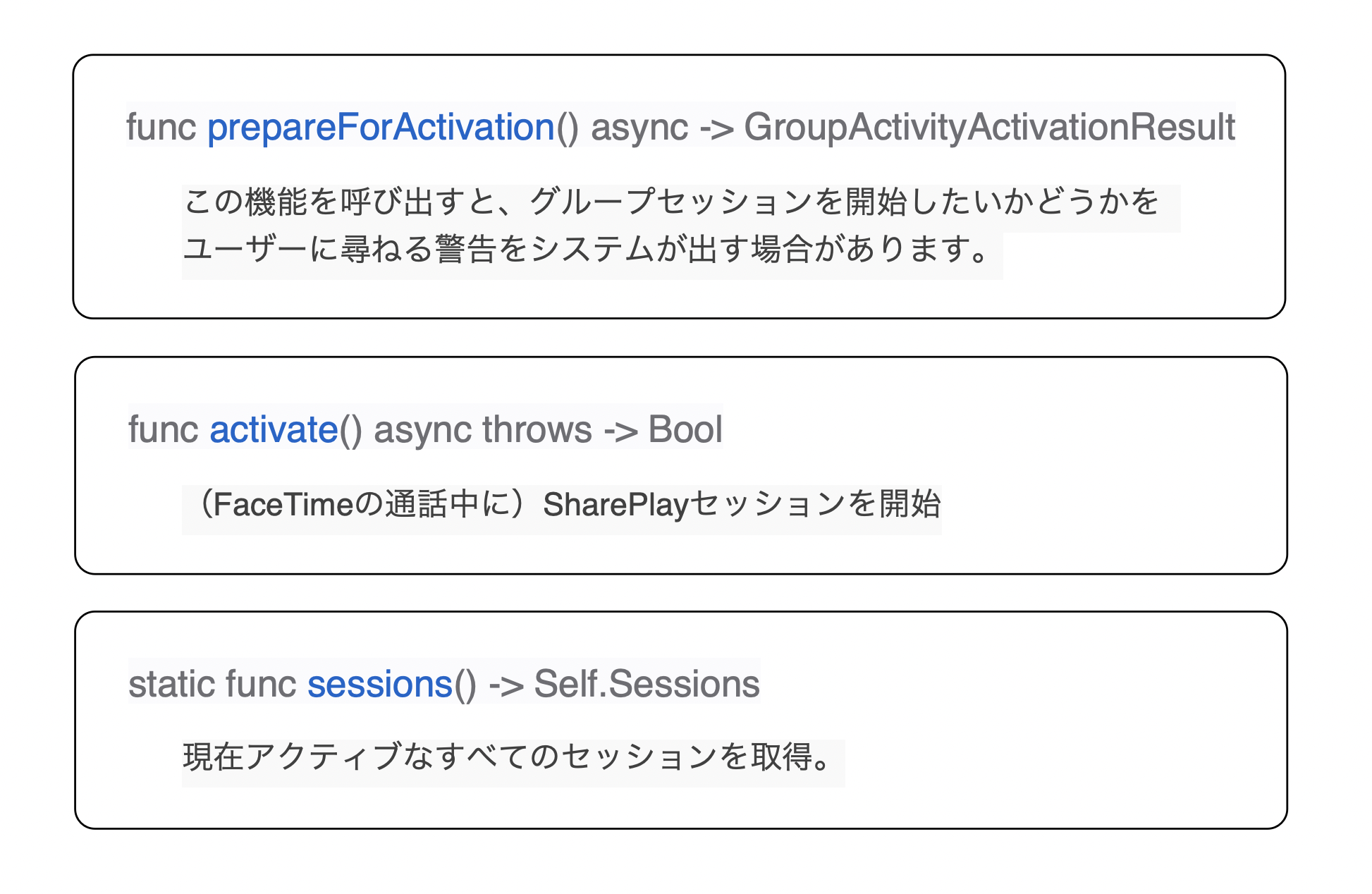
To host a new activity, the sample calls activate() from the manager:
func startSharing() {
    Task {
        do {
            _ = try await DemoGroupActivityType().activate()
        } catch {
            print("Failed to activate DrawTogether activity: \(error)")
        }
    }
}
The article emphasizes that activate() only requests the session start. The real session
object still arrives later through DemoGroupActivityType.sessions(), which is why the watcher
loop above is essential.
Joining an existing session requires less app code. The user taps the join button from the FaceTime UI, and the app eventually sees that session through the same async stream.
For outbound data, the manager wraps messenger sending in one helper:
func send(_ message: DemoMessage) {
    if let messenger = messenger {
        Task {
            try? await messenger.send(message)
        }
    }
}
Button("Send message") {
manager.send(DemoMessage(id: UUID()))
}
For inbound data, the earlier messages(of:) loop forwards each decoded message into a
handler. The article also points out that groupSession.$activeParticipants matters for
synchronization: when new people join, the app often needs to send the current shared state to them.
The useful takeaway from this post is that SharePlay is mostly a session-management and message-routing problem, not a magical one-line sharing feature.
The core pattern is stable: declare a GroupActivity, watch the session stream, configure
each session with a messenger and lifecycle handlers, then decide what app state to send and when.
This article also notes that iOS 15.4 later improved the flow for starting a group FaceTime call when one is not already active. If you care about that newer behavior, the related follow-up article on this site is iOS 15.4 SharePlay updates.